

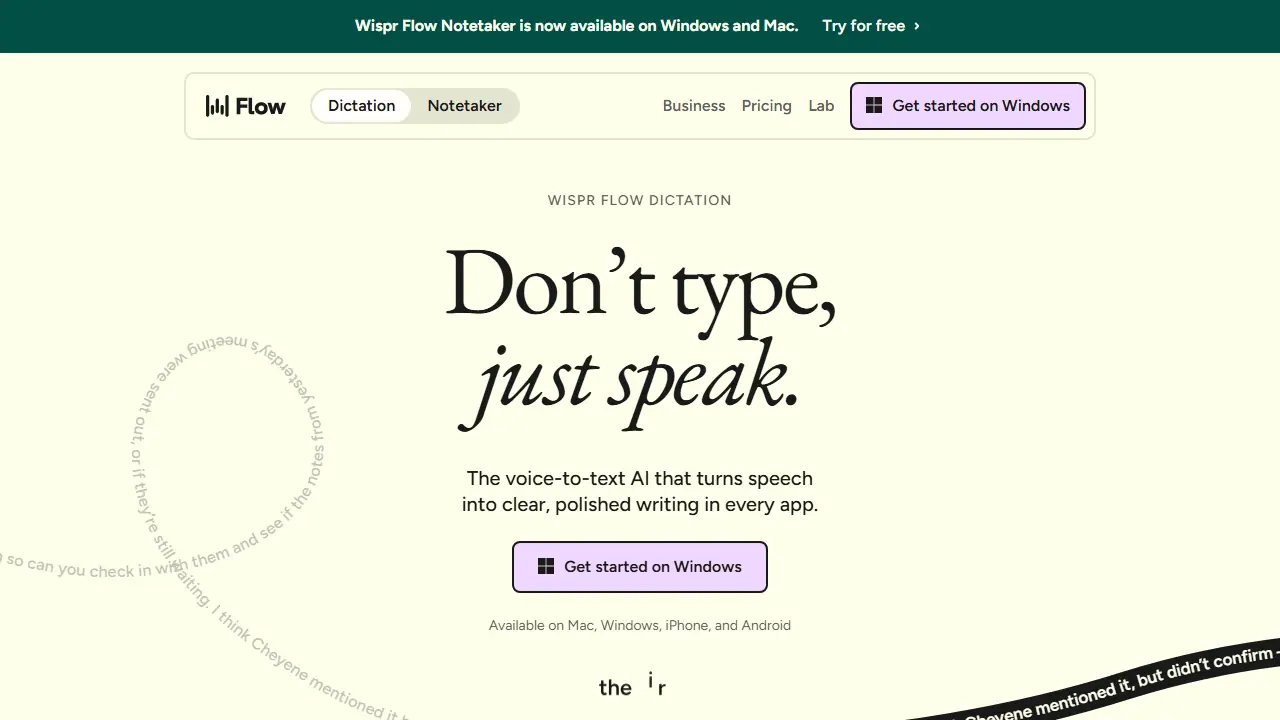
What is Wispr Flow?
Wispr Flow is a voice-to-text AI tool that lets you dictate instead of typing. You speak naturally, including pauses, filler words and mid-sentence corrections, and Flow turns that speech into clean, punctuated text that reads as if it were written, not spoken. It works in any app where you can type, with no plugins required, and is available on Mac, Windows, iPhone and Android.
Beyond dictation, Wispr Flow includes a Notetaker for meetings and voice memos, available on Mac and Windows. It can identify speakers in meeting notes, let you ask questions across your meetings, and share notes with other AI tools such as Claude and ChatGPT. Dictation supports 100+ languages and learns your names and jargon through a personal dictionary and snippets.
Key features
- Voice-to-text dictation in any app on Mac, Windows, iOS and Android
- Automatic removal of filler words, punctuation and formatting
- Personal dictionary and snippets that learn names and jargon
- Notetaker for meetings and voice memos with speaker identification
- Ask questions across your meeting notes
- Use meeting notes in Claude, ChatGPT and other AI tools (MCP)
Who is it for
- Professionals who write a lot of messages and emails
- Teams that run frequent meetings
- Users who want faster input than a keyboard
- Organizations with security and compliance needs
How to get started with Wispr Flow
- Download Wispr Flow for Mac, Windows, iPhone, or Android.
- Create an account and log in within the app.
- Set a keyboard shortcut or button that starts dictation.
- Click any text field and start speaking naturally.
- You write many messages, emails, or documents and want to turn thoughts into text faster.
- You run meetings and want automatic notes from recordings (on Mac or Windows).
- You need dictation across many apps on phone and computer with syncing.
- You need unlimited free dictation and write heavily on desktop every day.
- You expect the app interface in Polish, because the interface is not available in Polish.
Pros and cons
- Speech is up to 4x faster than typing, according to the vendor
- Works across apps with no plugins required
- Supports 100+ languages
- Notetaker is currently available only on Mac and Windows
- Free plan has word limits and limited Notetaker access
Wispr Flow pricing
| Plan | Price | Includes |
|---|---|---|
| Free | 0 USD / month | Individuals; 2,000 words/week desktop, 1,000/week mobile; limited Notetaker |
| Pro | 12 USD / month | Per user, billed monthly; unlimited dictation, longer Notetaker history, shared dictionary, team workspace, priority support; 20% less billed annually |
| Growth | 18 USD / month | Per user, billed monthly; adds SSO, HIPAA BAA, basic admin controls, unlimited Notetaker; 26 USD monthly before annual discount |
Prices copied from Wispr Flow pricing, checked October 12, 2026. Currency as shown by the vendor; taxes may apply.
Is Wispr Flow free?
Yes, there is a free plan. Free plan: speech-to-text in any app, 100+ languages, dictionary and snippets, limited Notetaker access. Dictation limit 2,000 words/week on desktop and 1,000/week on mobile.
Featured in
- Best AI for meetings - #5
Wispr Flow alternatives
| Tool | Price from | Free plan | Category |
|---|---|---|---|
 Otter Meeting Agent Otter Meeting Agent | 16.99 USD/mo | yes | Transcription & meetings |
 Superwhisper Superwhisper | not listed | ? | Transcription & meetings |
 TurboScribe TurboScribe | 20 USD/mo | yes | Transcription & meetings |
 Fireflies.ai Fireflies.ai | 10 USD/mo | yes | Transcription & meetings |
 HappyScribe HappyScribe | 8.50 USD/mo | yes | Transcription & meetings |
 Notta Notta | 8.17 USD/mo | yes | Transcription & meetings |
All alternatives to Wispr Flow →
Comparisons
- TurboScribe vs Wispr Flow
- Fathom vs Wispr Flow
- Fireflies.ai vs Wispr Flow
- Otter Meeting Agent vs Wispr Flow
FAQ
What is Wispr Flow used for?
Voice-to-text dictation AI that turns speech into polished writing in any app, plus a meeting notetaker, for individuals and teams.
Is Wispr Flow free?
Yes, there is a free plan. Free plan: speech-to-text in any app, 100+ languages, dictionary and snippets, limited Notetaker access. Dictation limit 2,000 words/week on desktop and 1,000/week on mobile.
How much does Wispr Flow cost?
The cheapest paid plan is 12 USD/mo (vendor pricing, October 12, 2026).
What are the best Wispr Flow alternatives?
Closest alternatives: Otter Meeting Agent, Superwhisper, TurboScribe, Fireflies.ai, HappyScribe.
Data checked October 12, 2026 on the vendor website (wisprflow.ai).