

What is TurboScribe?
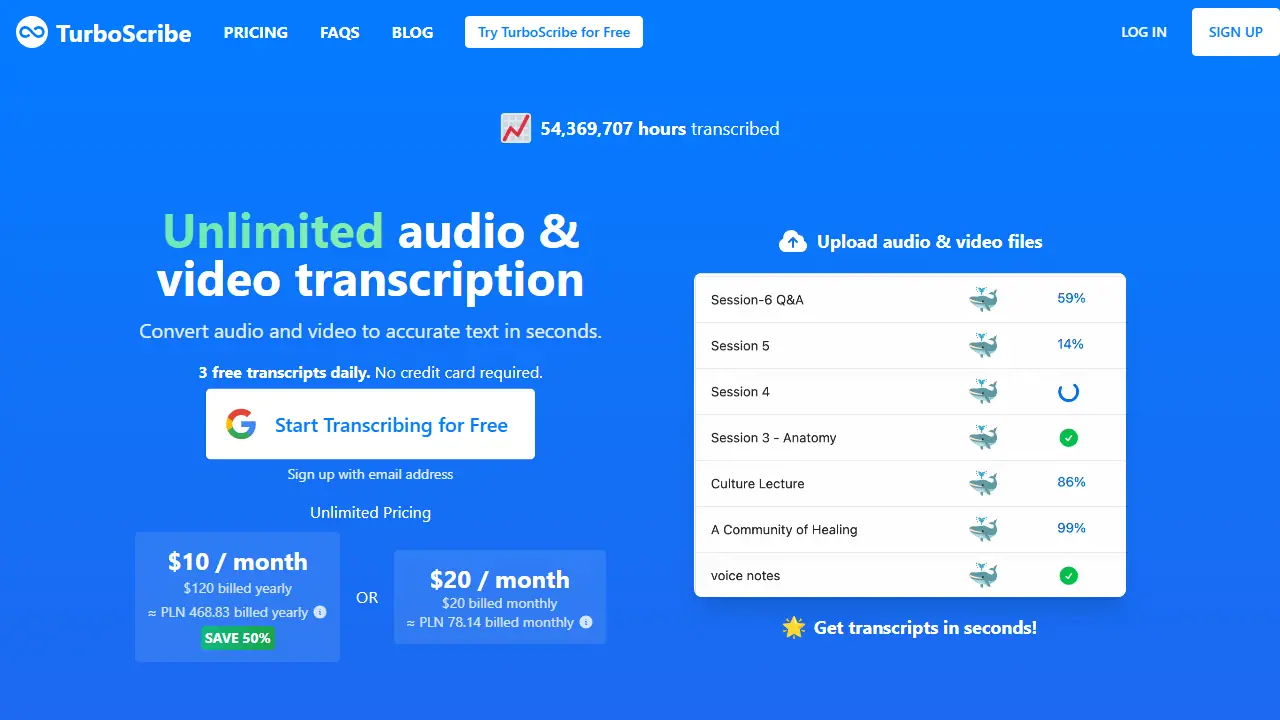
TurboScribe is a web-based speech-to-text service powered by OpenAI's Whisper model. You upload an audio or video file (MP3, MP4, M4A, MOV, WAV and others, up to 10 hours or 5 GB per file) or drag and drop it, choose the spoken language, and pick a transcription mode: Cheetah (fastest), Dolphin (balanced) or Whale (most accurate). The engine runs on GPUs and returns the transcript in seconds to minutes depending on length.
Beyond plain transcription, you can turn on speaker recognition, which labels each section with who is speaking, transcribe non-English speech directly into English, or run a restore-audio option that removes background noise. Transcripts can be exported as DOCX, PDF, TXT, and as SRT or VTT subtitle files, and the site advertises translation of transcripts and subtitles into 134+ languages.
Key features
- Transcription of audio and video files up to 10 hours long
- Speaker recognition that labels who is speaking
- Three transcription modes: Cheetah, Dolphin and Whale
- Built-in translation of transcripts and subtitles to 134+ languages
- Export to DOCX, PDF, TXT, SRT and VTT
- Noise removal option (Restore Audio)
Who is it for
- Journalists and researchers transcribing interviews
- Business teams recording meetings and calls
- Podcasters and video creators making subtitles
- Students and academics transcribing lectures
How to get started with TurboScribe
- Create an account on the TurboScribe website using only your email address (no card).
- Drag an audio or video file (e.g. MP3, MP4, WAV) or pick it from your disk.
- Choose the recording language and enable speaker recognition if needed.
- Start transcription and download the result as DOCX, PDF, TXT, SRT or VTT after a short wait.
- You regularly transcribe interviews, podcasts or meetings and need text split by speaker
- You need subtitles for videos in SRT or VTT format
- You work with recordings in many languages and want them translated
- You need more than 3 transcriptions a day and don't want to pay - the free plan is limited to 3 per day
- You need a shared team account, because the Unlimited plan is for one person only
Pros and cons
- Fast transcription powered by Whisper, with speaker labels and multiple export formats
- No account needed to try the free plan, which gives 3 transcripts per day
- Free plan is limited to 3 files per day, 30 minutes per file and one file at a time
- Unlimited plan is for one person only
TurboScribe pricing
| Plan | Price | Includes |
|---|---|---|
| TurboScribe Free | 0 USD | 3 transcripts daily, 30 min per file, 1 file at a time, lower priority |
| TurboScribe Unlimited (yearly) | 120 USD / year | Unlimited transcriptions for one person, files up to 10 hours / 5 GB, 50 files at a time, highest priority, all features |
| TurboScribe Unlimited (monthly) | 20 USD / month | Same as yearly plan, billed monthly |
Prices copied from TurboScribe pricing, checked October 12, 2026. Currency as shown by the vendor; taxes may apply.
Is TurboScribe free?
Yes, there is a free plan. 3 transcripts per day, each up to 30 minutes long, one file at a time, with lower processing priority.
Featured in
TurboScribe alternatives
| Tool | Price from | Free plan | Category |
|---|---|---|---|
 HappyScribe HappyScribe | 8.50 USD/mo | yes | Transcription & meetings |
 Transgate Transgate | 1.49 USD | trial | Transcription & meetings |
 Vocova Vocova | 7.5 USD/mo | yes | Transcription & meetings |
 Notta Notta | 8.17 USD/mo | yes | Transcription & meetings |
 MacWhisper MacWhisper | not listed | yes | Transcription & meetings |
 Fathom Fathom | 19 USD/mo | yes | Transcription & meetings |
All alternatives to TurboScribe →
Comparisons
- Fathom vs TurboScribe
- Fireflies.ai vs TurboScribe
- Otter Meeting Agent vs TurboScribe
- TurboScribe vs Wispr Flow
FAQ
What is TurboScribe used for?
Converts audio and video files to text transcripts in seconds, with speaker labels and translation, for people who transcribe meetings, interviews and podcasts.
Is TurboScribe free?
Yes, there is a free plan. 3 transcripts per day, each up to 30 minutes long, one file at a time, with lower processing priority.
How much does TurboScribe cost?
The cheapest paid plan is 20 USD/mo (vendor pricing, October 12, 2026).
What are the best TurboScribe alternatives?
Closest alternatives: HappyScribe, Transgate, Vocova, Notta, MacWhisper.
Data checked October 12, 2026 on the vendor website (turboscribe.ai).