

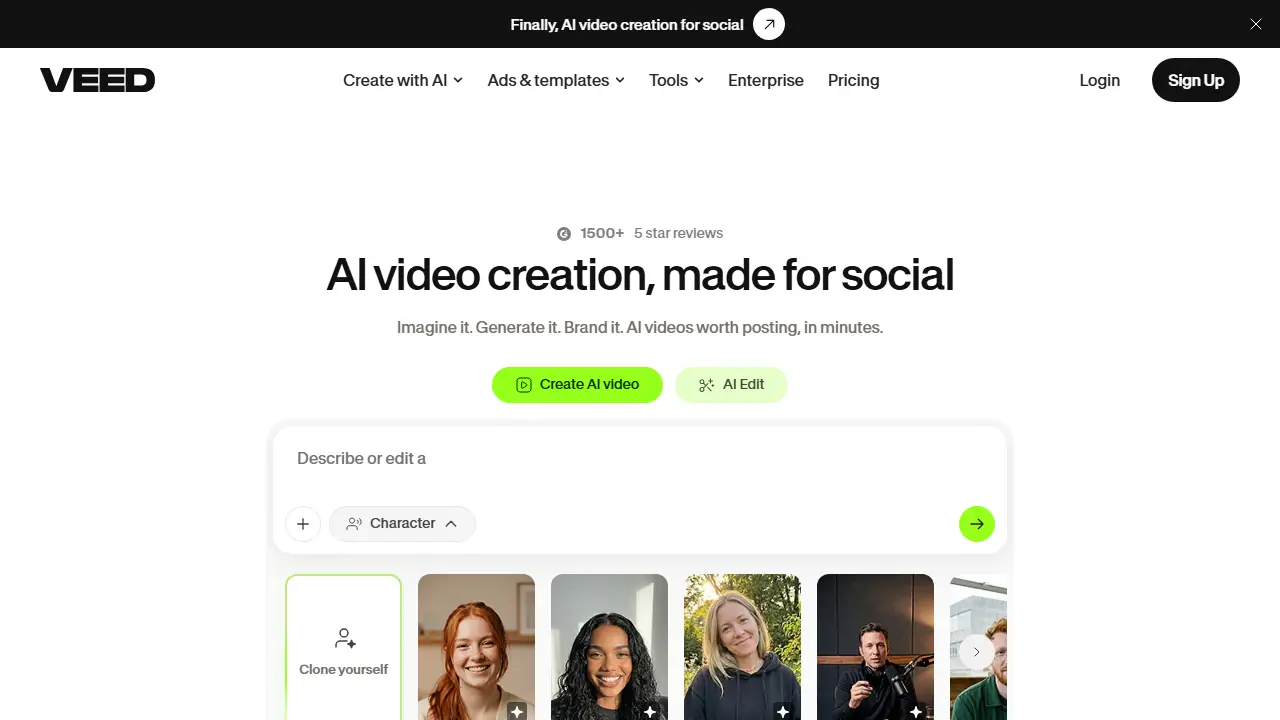
What is VEED?
VEED is a browser-based video platform that combines AI generation with a full video editor. From a text prompt you can generate videos, voices, avatars and images, and the site lists features such as text-to-video, image-to-video, AI avatars with lip sync, voice cloning and text-to-speech.
For production, you can turn an idea into a finished clip using templates for ads, Reels, TikTok and YouTube, apply your brand's colours, fonts and logos, add auto-generated subtitles and translations, dub videos, remove background noise, and transcribe audio or video. Tools for compressing, cutting, converting and recording video are also available, with some offered for free in the browser.
Key features
- Text-to-video and image-to-video generation with AI credits
- AI avatars with lip sync and eye contact correction
- AI voice generator, voice cloning and text-to-speech
- Auto subtitles, translation and AI dubbing
- Templates for video ads and social formats with brand kit
- Video, audio and screen transcription plus a teleprompter
Who is it for
- Marketers
- Solo entrepreneurs
- Social media creators
- Enterprise and educational teams
How to get started with VEED
- Go to the VEED website and create an account or log in
- Choose an ad template or format for Instagram, TikTok or YouTube
- Enter a description of the effect you want and refine the result in the editor
- You need to quickly produce an ad or reel without filming footage
- You want to add subtitles, translate and dub a recording in one place
- You work in a browser and don't want to install a separate editing program
- You need a Polish-language interface, as the tool does not offer one
- You need clearly defined free-plan limits, which the site does not specify
Pros and cons
- Templates and brand kit let teams produce on-brand videos quickly
- Covers generation, editing, subtitles, dubbing and transcription in one workflow
- AI generation runs on credits, so heavy use depends on the plan's credit allowance
VEED pricing
| Plan | Price | Includes |
|---|---|---|
| Creator | 129 EUR / year | za użytkownika, 6000 kredytów, bez znaku wodnego |
| Pro | 278 EUR / year | za użytkownika, 30 000 kredytów, tłumaczenie na 50+ języków |
| Studio | 448 EUR / year | za użytkownika, 180 000 kredytów |
| Enterprise | wycena indywidualna | kontakt z działem sprzedaży |
Prices copied from VEED pricing, checked October 12, 2026. Currency as shown by the vendor; taxes may apply.
Is VEED free?
There is a free trial. The site says tools are free to try in the browser; the pricing page states you can start for free before upgrading. Exact free-plan limits are not given in the text.
Featured in
VEED alternatives
| Tool | Price from | Free plan | Category |
|---|---|---|---|
 Captions Captions | 24.99 USD/mo | trial | Video generators |
 CapCut CapCut | not listed | yes | Video generators |
 HeyGen HeyGen | 29 USD/mo | yes | Video generators |
 Fliki Fliki | not listed | yes | Video generators |
 Descript Descript | 16 USD/mo | yes | Video generators |
 Kapwing Kapwing | 16 USD/mo | yes | Video generators |
FAQ
What is VEED used for?
Browser-based AI video platform that generates, edits, dubs and subtitles videos, aimed at marketers and solo creators making social content.
Is VEED free?
There is a free trial. The site says tools are free to try in the browser; the pricing page states you can start for free before upgrading. Exact free-plan limits are not given in the text.
How much does VEED cost?
The cheapest paid plan is 129 EUR/yr (vendor pricing, October 12, 2026).
What are the best VEED alternatives?
Closest alternatives: Captions, CapCut, HeyGen, Fliki, Descript.
Data checked October 12, 2026 on the vendor website (veed.io).