

What is Granola?
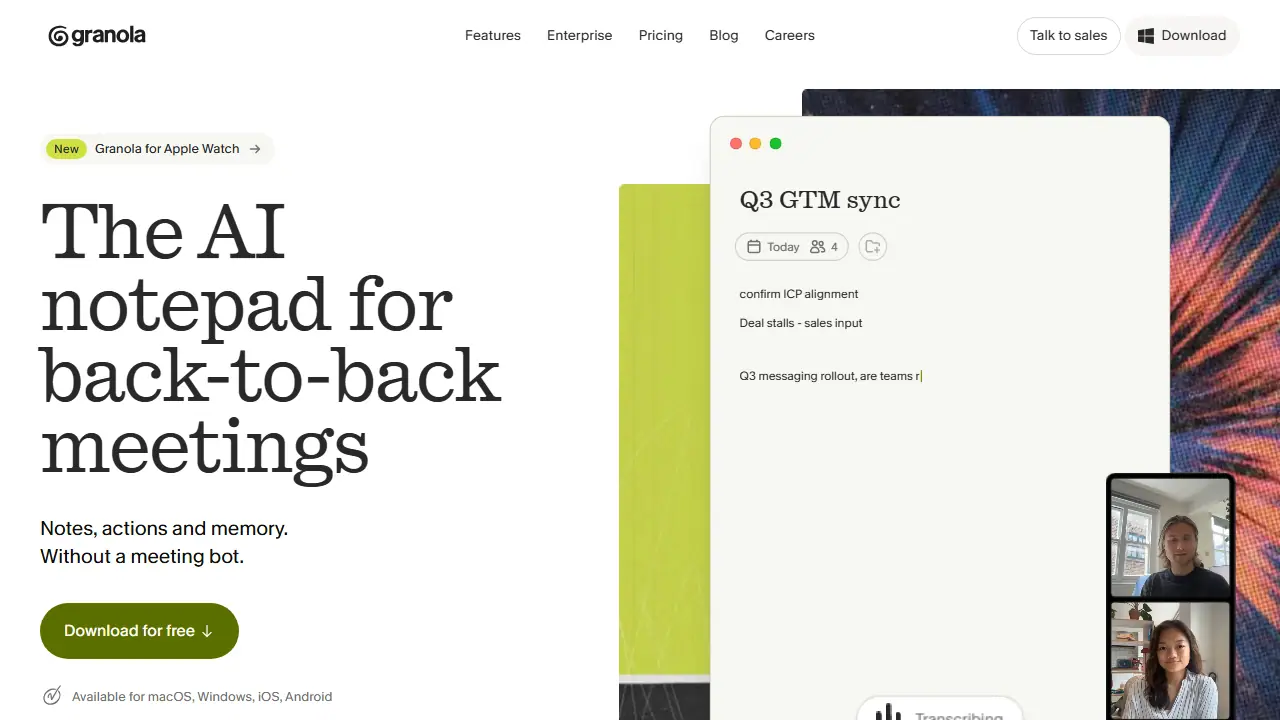
Granola is an AI notepad for people whose days are filled with back-to-back meetings. It runs on the desktop (macOS, Windows) and on mobile (iOS, Android, Apple Watch) and captures the audio coming from your computer, so it works with Zoom, Google Meet, Teams and other meeting apps without inviting a bot to the call. You type your own rough notes during the meeting, and the app combines them with the transcript to produce clear, personal notes.
Before a meeting, Granola syncs with your calendar and prepares a brief for external meetings covering attendees, what was discussed last time and what matters now. After the meeting it generates notes, action items and follow-ups, and you can ask questions across your meeting history through the AI chat. Notes are private by default and can be shared when you choose.
Key features
- Bot-free capture of device audio from Zoom, Google Meet, Teams and other apps
- AI-generated meeting notes combined with your own typed notes
- Pre-meeting briefs synced from your calendar
- Action items and follow-up email generation
- AI chat across meetings
- Shared folders and customizable note templates
Who is it for
- people with back-to-back meetings
- sales and customer success teams
- small teams and managers
- enterprises needing admin and compliance controls
How to get started with Granola
- Install Granola on your computer or phone.
- Connect your calendar to see upcoming meetings.
- Start notes before the call and write them your way.
- You have many meetings a day and don't want to take notes manually.
- You want notes and tasks created without a bot joining the call.
- You run sales or team meetings and need follow-up email drafts.
- You need meeting history longer than 30 days on the free plan.
- You need a Polish-language interface, which is not available.
Pros and cons
- No meeting bot joins the call
- Notes are private by default and easy to share
- Free plan limited to 30 days of meeting history
- Business integrations and unlimited history require a paid plan
Granola pricing
| Plan | Price | Includes |
|---|---|---|
| Basic | 0 USD / month | per user; limited meeting history (30 days), AI chat across meetings auto model only |
| Business | 14 USD / month | per user; unlimited meeting history, pre-meeting briefs, follow-up emails, integrations (Attio, Notion, HubSpot, Affinity, Zapier), API access, centralized billing |
| Enterprise | 35 USD / month | per user; SSO, admin controls, priority support, usage analytics, HIPAA-compliant workspaces, SCIM provisioning, audit API |
Prices copied from Granola pricing, checked October 12, 2026. Currency as shown by the vendor; taxes may apply.
Is Granola free?
Yes, there is a free plan. Basic plan: AI meeting notes, AI chat within and across meetings, shared folders, custom templates, multi-language support, limited meeting history (30 days).
Featured in
Granola alternatives
| Tool | Price from | Free plan | Category |
|---|---|---|---|
 Jamie Jamie | 21 EUR/mo | yes | Productivity & notes |
 Notta Notta | 8.17 USD/mo | yes | Transcription & meetings |
 Krisp Krisp | 16 USD/mo | trial | Productivity & notes |
 Google Workspace Gemini Google Workspace Gemini | 31.50 PLN/mo | trial | Productivity & notes |
 Notion Notion | 9.50 EUR/mo | trial | Productivity & notes |
 MindMap AI MindMap AI | 3.99 USD/mo | yes | Productivity & notes |
Comparisons
FAQ
What is Granola used for?
AI notepad that takes meeting notes, action items and follow-ups without joining the call as a bot, for people in back-to-back meetings.
Is Granola free?
Yes, there is a free plan. Basic plan: AI meeting notes, AI chat within and across meetings, shared folders, custom templates, multi-language support, limited meeting history (30 days).
How much does Granola cost?
The cheapest paid plan is 14 USD/mo (vendor pricing, October 12, 2026).
What are the best Granola alternatives?
Closest alternatives: Jamie, Notta, Krisp, Google Workspace Gemini, Notion.
Data checked October 12, 2026 on the vendor website (granola.ai).