

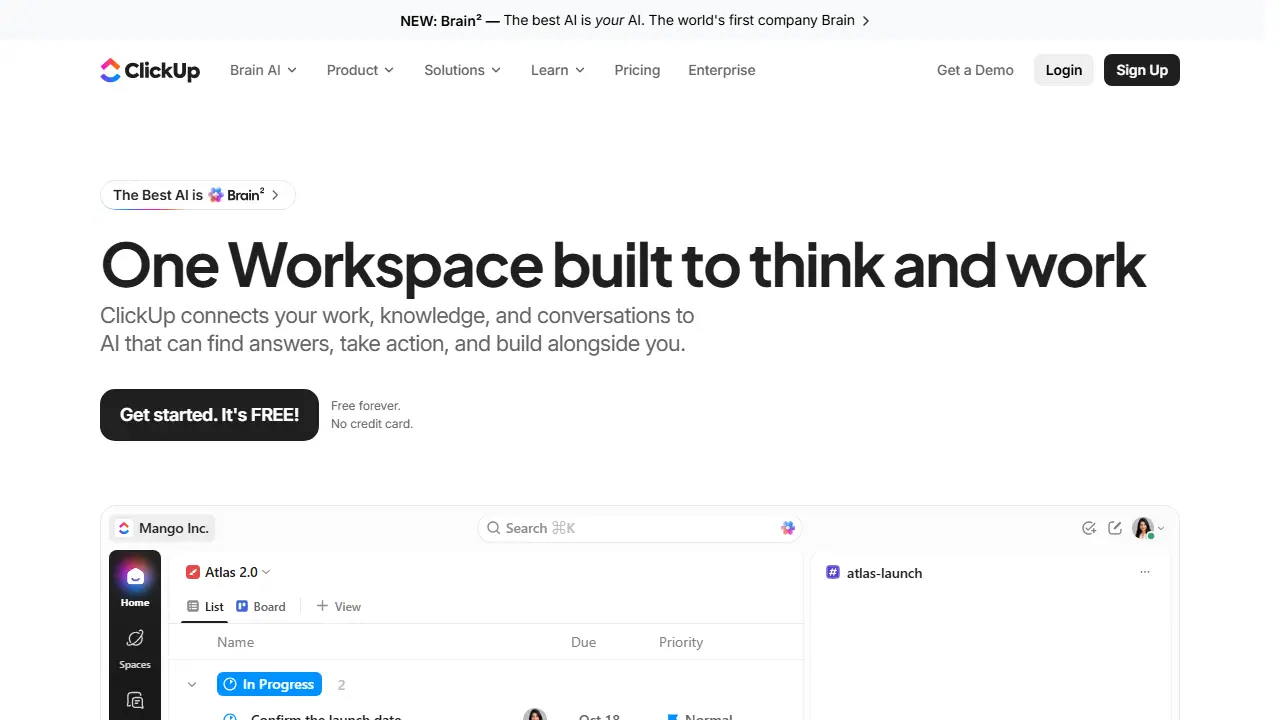
What is ClickUp?
ClickUp is a work management platform that brings projects, tasks, documents, goals, chat, calendars, whiteboards and time tracking into one workspace. Its AI layer, called Brain, along with AI Agents and automations, is meant to help teams write, summarize, and move work forward without switching tools.
In practice, teams organize work into Spaces, Folders and Lists, then track it in List, Board, Gantt, Calendar or Workload views. Sprints, custom fields, dashboards and automations help manage delivery, while Docs, Whiteboards and Chat keep discussion and context next to the work itself. The site positions it as a replacement for many separate software subscriptions.
Key features
- Tasks, Docs, Whiteboards and Chat in one workspace
- Multiple views including List, Board, Gantt, Calendar and Workload
- Sprint management and dashboards
- AI assistant Brain and AI Agents
- Automations and integrations such as Slack, HubSpot and Google Drive
- Native time tracking and goals/portfolio management
Who is it for
- project managers
- software and engineering teams
- small businesses and agencies
- enterprise IT and operations teams
How to get started with ClickUp
- Sign up for the free Free Forever plan on the ClickUp website.
- Create a space and a task list for your project.
- Add tasks, assign people, and set due dates and priorities.
- Choose Kanban, Gantt, or Calendar view to track progress.
- You want to replace several separate tools with one team work platform.
- You manage product, IT, or operations projects and need different task views.
- You want automations that change statuses and send notifications.
- You need a Polish-language interface, which ClickUp does not offer.
- You need to store a lot of files on the free plan, since the storage limit is 60 MB.
Pros and cons
- Broad feature set covering many work tools in one app
- Free Forever plan with unlimited tasks and members
- Many advanced features (dashboards, automations, Gantt on unlimited plans, portfolios) are locked behind paid tiers or usage limits
- AI features have usage limits on the free plan
ClickUp pricing
| Plan | Price | Includes |
|---|---|---|
| Free Forever | 0 USD / month | 60MB storage, 5 Spaces, 100 Folders/Space, 40 Lists/Space, 5 active automation rules, 100 automation executions; AI with usage limits |
| Unlimited | 7 USD / month | Per user/month billed yearly (10 USD billed monthly); unlimited storage, spaces, Gantt, integrations, native time tracking, goals; 500 automation rules, 1,000 executions |
| Business | 12 USD / month | Per user/month billed yearly (19 USD billed monthly); adds dashboards, mind mapping, private whiteboards, webhooks, Google SSO, sprint points; 5,000 automation executions |
Prices copied from ClickUp pricing, checked October 12, 2026. Currency as shown by the vendor; taxes may apply.
Is ClickUp free?
Yes, there is a free plan. Free Forever plan: unlimited tasks, unlimited members, 60MB storage, 5 spaces, Docs, Kanban boards, Sprint management, calendar view, 2-factor authentication, 1 form, 24/7 support. AI features available with free usage limits.
ClickUp alternatives
| Tool | Price from | Free plan | Category |
|---|---|---|---|
 Gong Gong | not listed | no | Productivity & notes |
 Notion Notion | 9.50 EUR/mo | trial | Productivity & notes |
 Lindy Lindy | 29.99 USD/mo | trial | Productivity & notes |
 monday.com monday.com | 9 EUR/mo | yes | Productivity & notes |
 Airtable Airtable | 20 USD/mo | trial | Productivity & notes |
 Asana Asana | 10.99 USD/mo | yes | Productivity & notes |
FAQ
What is ClickUp used for?
All-in-one work management platform combining tasks, docs, goals, chat and AI agents for teams that want to replace many separate apps.
Is ClickUp free?
Yes, there is a free plan. Free Forever plan: unlimited tasks, unlimited members, 60MB storage, 5 spaces, Docs, Kanban boards, Sprint management, calendar view, 2-factor authentication, 1 form, 24/7 support. AI features available with free usage limits.
How much does ClickUp cost?
The cheapest paid plan is 7 USD/mo (vendor pricing, October 12, 2026).
What are the best ClickUp alternatives?
Closest alternatives: Gong, Notion, Lindy, monday.com, Airtable.
Data checked October 12, 2026 on the vendor website (clickup.com).