

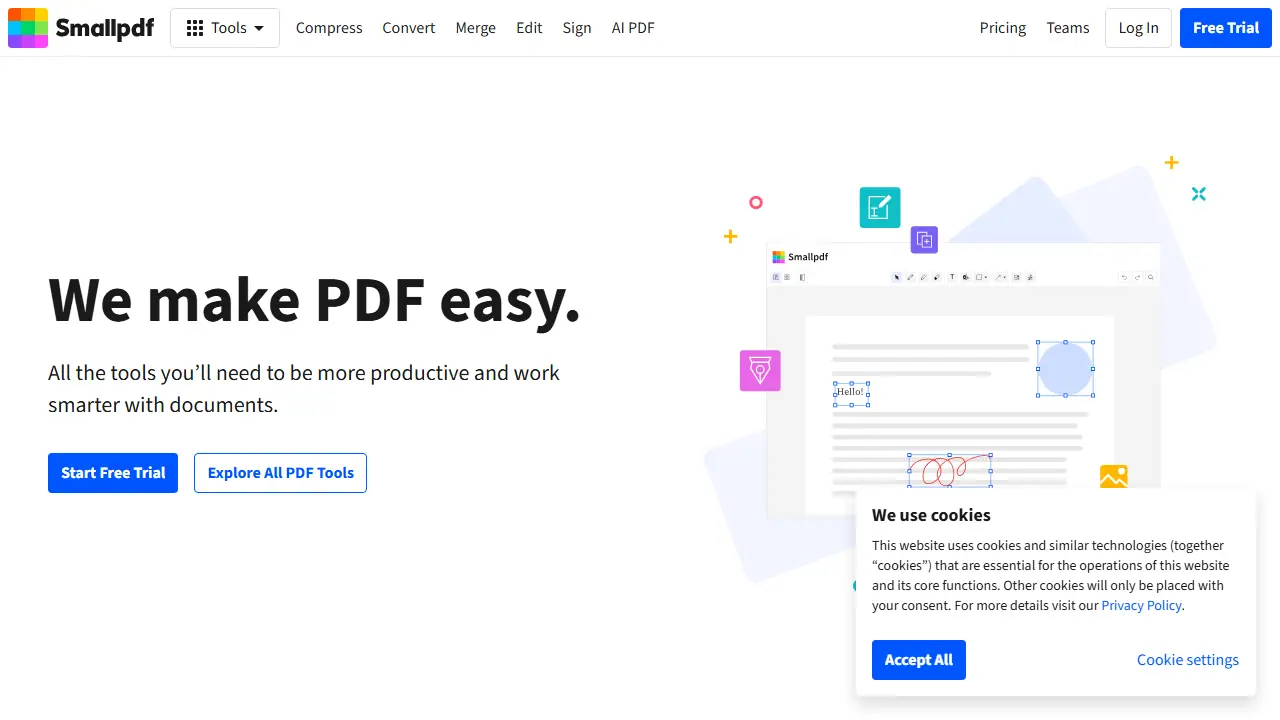
What is Smallpdf?
Smallpdf is an online PDF platform offering around 30 tools to convert, compress, merge, split, edit, sign and protect PDF files. It runs in the browser and is also available as a mobile app, a Windows and Mac app, and a Chrome extension. Files are handled through the web platform, where they can be stored, managed and shared across devices.
Beyond classic PDF editing, the site lists an AI PDF section with tools such as Chat with PDF, AI PDF Summarizer, Translate PDF and AI Question Generator. Users can convert files to Word, Excel, PowerPoint and images, add annotations and text, fill forms, and request or add electronic signatures.
Key features
- Convert PDF to Word, Excel, PPT and images, and convert Office files and images to PDF
- Compress, merge, split, rotate and organize PDF pages
- Edit PDFs with text, shapes, images and freehand annotations
- Electronic signatures and signature requests
- AI PDF Assistant, Chat with PDF and AI summarizer
- Storage and sharing of files across devices
Who is it for
- Office workers and professionals handling contracts and forms
- Students and researchers working with PDF documents
- Small businesses and teams
- Real estate agents and finance professionals
How to get started with Smallpdf
- Go to the Smallpdf website or open the mobile app
- Choose a tool, e.g. PDF to Word conversion
- Upload your file and download the finished result
- You often convert, merge, split or compress PDF files
- You need to sign a document electronically or collect signatures from others
- You want PDF tools both in the browser and on your phone
- You need a permanently free plan, as free access is only a 7-day trial
- You are looking for a solution without paying for longer use of full features
Pros and cons
- Large set of tools in one place
- Works in the browser and on mobile and desktop apps
- Security certifications listed (ISO/IEC 27001, GDPR, CCPA, nFADP) and 256-bit TLS encryption
- Some features require a paid plan after the free trial
Smallpdf pricing
| Plan | Price | Includes |
|---|---|---|
| Pro | 1 USD / month | per user per month, billed annually |
| Team | 2 USD / month | per user per month, billed annually, for 2-100 users; price shown as starting amount |
Prices copied from Smallpdf pricing, checked October 12, 2026. Currency as shown by the vendor; taxes may apply.
Is Smallpdf free?
There is a free trial. 7-day free trial with unlimited access to all Smallpdf tools; the homepage describes a free solution for basic PDF tasks.
Featured in
- Best AI for PDFs - #10
- Best AI for note-taking - #7
Smallpdf alternatives
| Tool | Price from | Free plan | Category |
|---|---|---|---|
 ZoomMate ZoomMate | 67,50 PLN/mo | trial | Productivity & notes |
 Krisp Krisp | 16 USD/mo | trial | Productivity & notes |
 Google Workspace Gemini Google Workspace Gemini | 31.50 PLN/mo | trial | Productivity & notes |
 Notion Notion | 9.50 EUR/mo | trial | Productivity & notes |
 Figma AI Figma AI | 3 USD/mo | yes | Productivity & notes |
 UnSoloMind UnSoloMind | 9 USD/mo | trial | Productivity & notes |
All alternatives to Smallpdf →
Comparisons
FAQ
What is Smallpdf used for?
Web and mobile platform for converting, compressing, editing, signing and managing PDF files, with an AI PDF assistant for chatting with and summarizing documents.
Is Smallpdf free?
There is a free trial. 7-day free trial with unlimited access to all Smallpdf tools; the homepage describes a free solution for basic PDF tasks.
How much does Smallpdf cost?
The cheapest paid plan is 1 USD/mo (vendor pricing, October 12, 2026).
What are the best Smallpdf alternatives?
Closest alternatives: ZoomMate, Krisp, Google Workspace Gemini, Notion, Figma AI.
Data checked October 12, 2026 on the vendor website (smallpdf.com).