

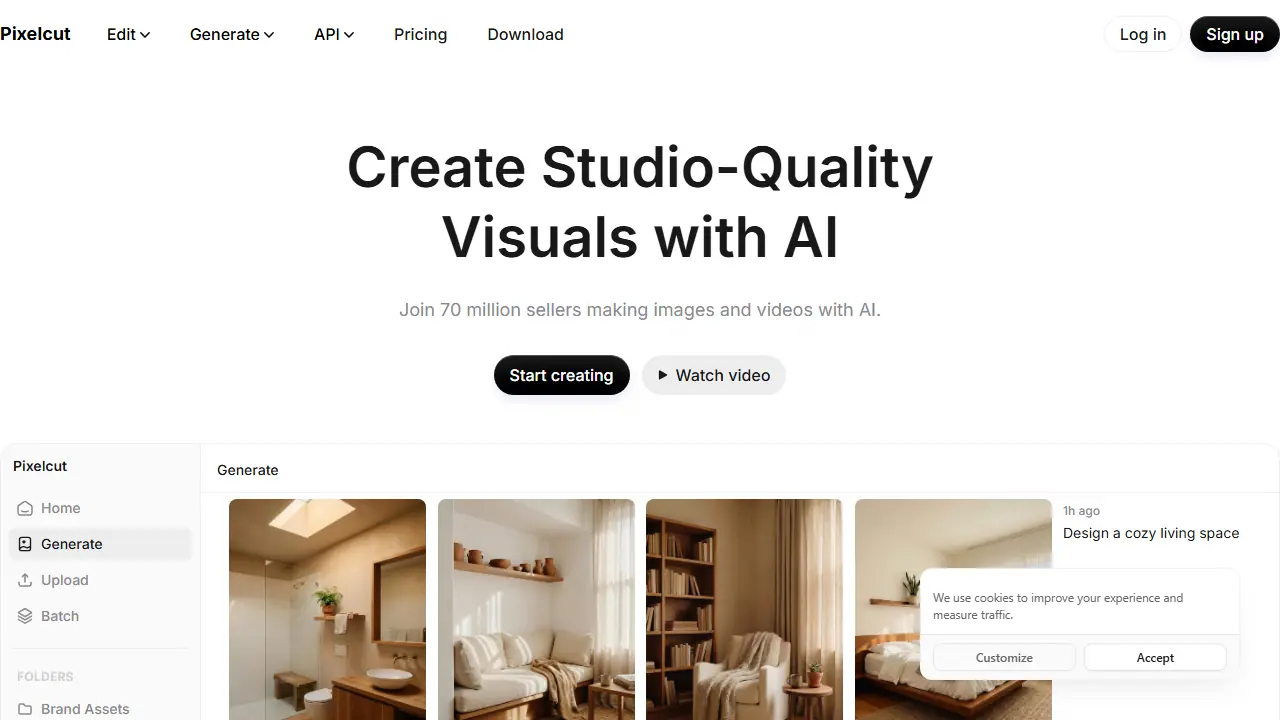
What is Pixelcut?
Pixelcut is a web, iOS and Android creative workspace for images and videos. Its Creative Agent takes a plain-language prompt, plans the steps and runs them with third-party models such as Nano Banana Pro and Sora 2, so no special prompting is required.
In practice you can remove backgrounds from photos and videos, upscale images up to 16x, extend an image beyond its frame, erase or edit parts with generative fill, and add shadows. You can also generate product showcase images from a prompt, create talking UGC-style ads, build custom personas (AI actors) that stay consistent across content, and batch-edit hundreds of files at once.
Key features
- Background removal for images and video
- Upscaling up to 16x with selectable models
- Expand (uncrop) images beyond the frame
- Generative fill and AI retouch/erase
- AI product photos and product showcase generation
- Batch editing across hundreds of files
- AI actors / personas with consistent character
Who is it for
- E-commerce sellers
- Small businesses and brands
- Content creators
- Marketing and design teams
How to get started with Pixelcut
- Go to the Pixelcut website and create a free account.
- Upload a product photo or type a text prompt.
- Choose a feature, such as background removal or image generation.
- You sell products online and need studio-quality product photos.
- You have many files to edit and want to work in batches.
- You create video ads with speaking characters for your brand.
- You need a full Polish-language interface, which is not available.
- You want to use only the free plan without limits for heavy work.
Pros and cons
- Easy to use, with results described by users as professional-looking
- Access to multiple advanced image and video models in one place
- Free plan available with limited features
- Free plan has daily limits and exports include a watermark only if not paying (free export without watermark is listed for Free)
- Advanced models consume credits, with monthly caps per plan
Pixelcut pricing
| Plan | Price | Includes |
|---|---|---|
| Free | 0 USD / month | Billed yearly per page; limited background removal and upscale, limited generative fill and expand, 300/day for AI backgrounds and Pro Eraser, 600 credits/mo |
| Pro | 8 USD / month | Billed yearly (listed as 10 USD monthly); 600 AI credits monthly, access to all AI models, unlimited background removal and upscale, 3-person team, 1,000 batch exports monthly, commercial license |
| Business | 24 USD / month | Billed yearly (listed as 30 USD monthly); 3,600 AI credits monthly, access to all AI models, unlimited background removal and upscale, 10-person team, 2,000 batch exports monthly, commercial license |
Prices copied from Pixelcut pricing, checked October 12, 2026. Currency as shown by the vendor; taxes may apply.
Is Pixelcut free?
Yes, there is a free plan. Free plan: limited background removal, limited upscale, limited Generative Fill and Expand (300/day), free export without watermark, 600 AI credits per month listed in the plan comparison.
Featured in
- Best AI for photos - #6
- Best AI for background removal - #4
- Best AI for photo enhancement & upscaling - #5
- Best AI for product photos - #4
Pixelcut alternatives
| Tool | Price from | Free plan | Category |
|---|---|---|---|
 Fotor Fotor | not listed | ? | Photo editing |
 Photoroom Photoroom | 14,99 PLN/mo | trial | Photo editing |
 Facetune Facetune | 25 USD/mo | trial | Photo editing |
 Photo AI Photo AI | 19 USD/mo | trial | Photo editing |
 Deep-Image.ai Deep-Image.ai | not listed | trial | Photo editing |
 Pixlr Pixlr | 2.49 EUR/mo | yes | Image generators |
All alternatives to Pixelcut →
Comparisons
FAQ
What is Pixelcut used for?
AI photo and video editor for e-commerce sellers, creators and small brands: background removal, upscaling, product photos and AI actors.
Is Pixelcut free?
Yes, there is a free plan. Free plan: limited background removal, limited upscale, limited Generative Fill and Expand (300/day), free export without watermark, 600 AI credits per month listed in the plan comparison.
How much does Pixelcut cost?
The cheapest paid plan is 8 USD/mo (vendor pricing, October 12, 2026).
What are the best Pixelcut alternatives?
Closest alternatives: Fotor, Photoroom, Facetune, Photo AI, Deep-Image.ai.
Data checked October 12, 2026 on the vendor website (pixelcut.ai).