

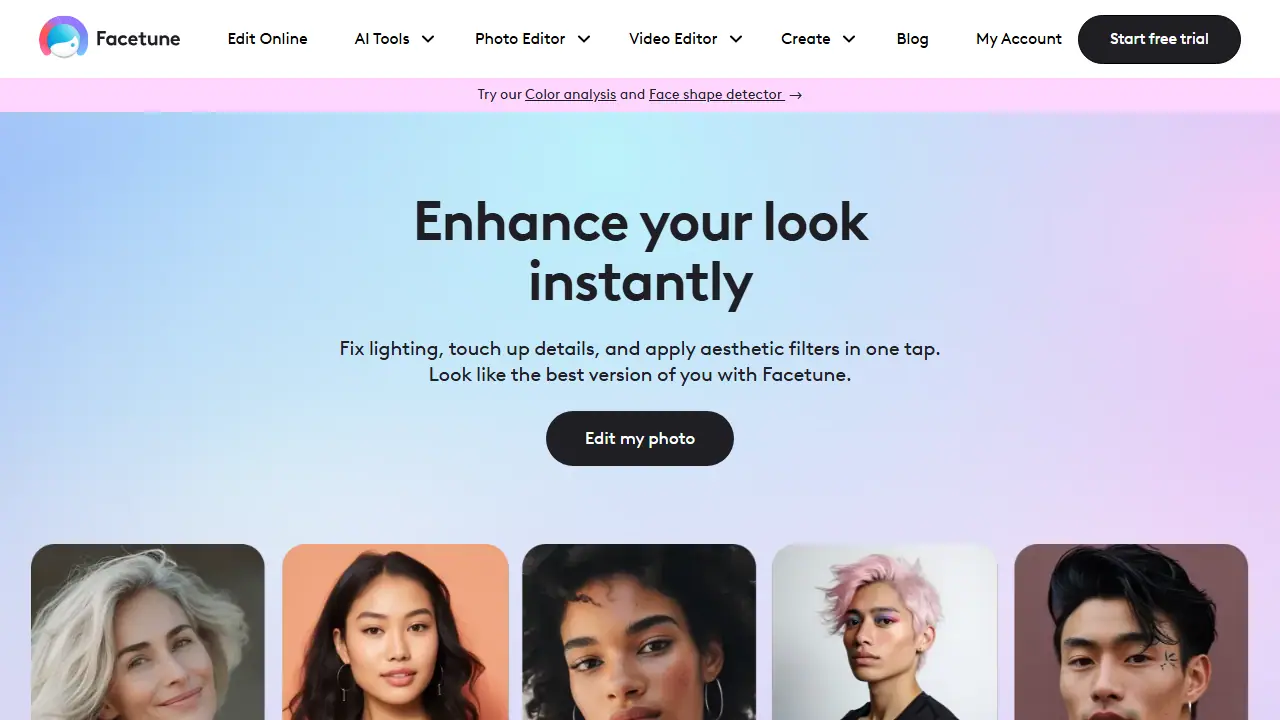
What is Facetune?
Facetune is a photo and video editing app built around portrait and selfie retouching. Its web and mobile editors combine standard tools such as cropping, blurring, background removal and object removal with AI features like AI Photo Enhancer, AI Hairstyle and Hair Color, AI Outfit Changer, AI Beard Filters and AI Headshot Generator.
In practice you upload a photo or video, pick a tool, and apply the edit in one or a few taps. Users can smooth skin, adjust lighting, whiten teeth, try different hairstyles or nail designs, change clothes in a photo, or generate a headshot. The site also offers Color Analysis and Face Shape Detector tools that suggest flattering colors, hairstyles and accessories based on facial features. Templates cover Instagram posts and stories, profile pictures, passport photos, LinkedIn headshots and real estate listings.
Key features
- AI photo enhancer and retouching in one tap
- AI hairstyle, hair color and outfit changer
- Background remover and object removal from photos
- Video editor with background blur and video retouch
- Color analysis and face shape detector
- Templates for Instagram, profile pictures, passport and LinkedIn photos
Who is it for
- social media creators and influencers
- people editing selfies for everyday use
- professionals needing headshots or LinkedIn photos
- real estate agents editing listing photos
How to get started with Facetune
- Download the app on your phone or open the web version
- Create an account and start the 7-day free trial
- Choose a photo or selfie from your gallery and open it in the editor
- Apply skin retouching or a hairstyle change with one click
- You want to quickly polish selfies before posting on social media
- You need a profile picture or headshot, for example for a CV or professional profile
- You want to try a hairstyle or hair color on a photo without technical skills
- You need a full free version without a paid subscription after the trial period
- You are looking for a Polish-language interface, as the app does not offer one
Pros and cons
- Covers many portrait editing needs in one app
- Free 7-day trial for all premium features
- Paid subscription required after the trial
- Plans are billed monthly, quarterly or yearly, and switching plans is not possible
Facetune pricing
| Plan | Price | Includes |
|---|---|---|
| Monthly | 25 USD / month | Final price may vary; 7-day free trial included, cancel anytime |
| Quarterly | 40 USD / one-time | Billed every 3 months; final price may vary; 7-day free trial included |
| Yearly | 77.99 USD / year | Save 50% vs monthly; final price may vary; 7-day free trial included |
Prices copied from Facetune pricing, checked October 12, 2026. Currency as shown by the vendor; taxes may apply.
Is Facetune free?
There is a free trial. 7-day free trial with access to all premium features; the app itself is free to download.
Featured in
- Best AI for background removal - #3
- Best AI for photo enhancement & upscaling - #4
- Best AI for product photos - #3
Facetune alternatives
| Tool | Price from | Free plan | Category |
|---|---|---|---|
 Airbrush Airbrush | 9 USD | trial | Photo editing |
 Pixelcut Pixelcut | 8 USD/mo | yes | Photo editing |
 Fotor Fotor | not listed | ? | Photo editing |
 Photoroom Photoroom | 14,99 PLN/mo | trial | Photo editing |
 Deep-Image.ai Deep-Image.ai | not listed | trial | Photo editing |
 Photo AI Photo AI | 19 USD/mo | trial | Photo editing |
All alternatives to Facetune →
Comparisons
FAQ
What is Facetune used for?
Selfie and photo/video editor with AI retouching, hairstyle and outfit try-ons, for creators and everyday users.
Is Facetune free?
There is a free trial. 7-day free trial with access to all premium features; the app itself is free to download.
How much does Facetune cost?
The cheapest paid plan is 25 USD/mo (vendor pricing, October 12, 2026).
What are the best Facetune alternatives?
Closest alternatives: Airbrush, Pixelcut, Fotor, Photoroom, Deep-Image.ai.
Data checked October 12, 2026 on the vendor website (facetuneapp.com).