

What is Pixlr?
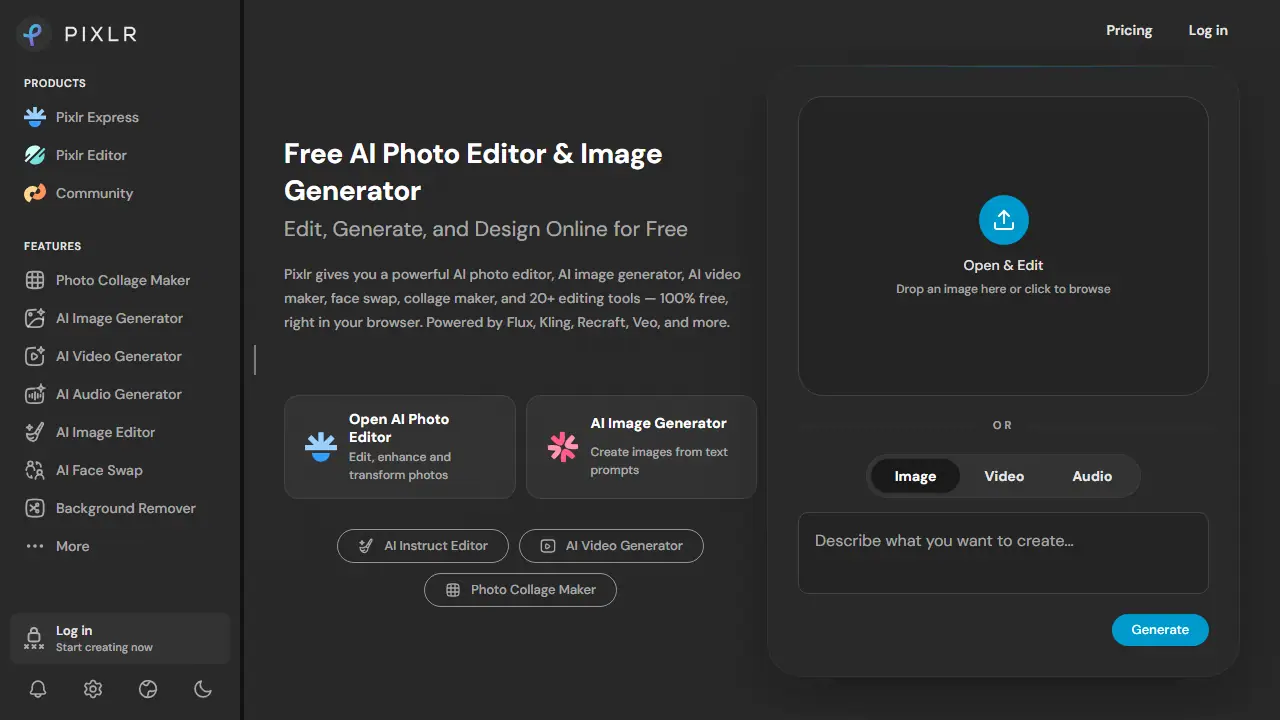
Pixlr is an online photo editor that combines classic editing tools with AI features. It runs in the browser without installation and offers an AI image generator, AI video generator, AI audio generator, face swap, collage maker and more than 20 editing tools. The site states that it is powered by third-party models such as Flux, Kling, Recraft, Veo and others.
You can open a photo and use one-click tools such as background removal, object removal, generative fill, generative expand and super-resolution upscaling. Text-to-image, image-to-video, text-to-speech and text-to-music are available as generation tools. The Pixlr Agent lets you describe an edit in natural language and have the AI apply it.
Key features
- AI image generation from text prompts
- Generative fill and generative expand
- One-click background and object removal
- AI face swap for photos and video
- Image-to-video and text-to-video generation
- Super-resolution upscaling up to 25 megapixels
Who is it for
- social media creators
- graphic designers
- small businesses
- photographers editing quick photos
How to get started with Pixlr
- Open the Pixlr website in your browser, no installation needed.
- Upload a photo or enter a description of the image you want.
- Choose a tool, e.g. background removal, and refine the result in the editor.
- You need quick photo editing without Photoshop.
- You create social media content and want to combine editing with AI generation.
- You run a small business or online store and need graphics.
- You need full AI features for free, as the free plan has limits.
- You must have guaranteed availability of AI services at all times.
Pros and cons
- Free to use directly in the browser with no install
- Combines editing and generation of images, video and audio in one tool
- AI generation is limited by credits and fair use, and availability is not guaranteed
- Free plan limits are not detailed on the pricing text provided
Pixlr pricing
| Plan | Price | Includes |
|---|---|---|
| Plus | 2.49 EUR / month | Ad-free, 80 monthly AI Credits, 1 concurrent AI generation; yearly billing 1.99 EUR per month |
| Premium | 9.99 EUR / month | All image, video and audio models, 1,000 monthly AI Credits, 4 concurrent generations, private mode; yearly 7.99 EUR per month |
| Ultra | 24.99 EUR / month | Unlimited fast image generations (fair use), 10,000 monthly AI Credits, 8 concurrent generations, priority queue; yearly 19.99 EUR per month |
| Ultra MAX | 49.99 EUR / month | Ultra with double credits (10,000 instead of 5,000 monthly); 39.99 EUR per month shown as offer price |
Prices copied from Pixlr pricing, checked October 12, 2026. Currency as shown by the vendor; taxes may apply.
Is Pixlr free?
Yes, there is a free plan. Free access to the online editor and basic AI tools; the exact free AI allowance is not specified in the provided text.
Pixlr alternatives
| Tool | Price from | Free plan | Category |
|---|---|---|---|
 ImagineArt ImagineArt | not listed | ? | Image generators |
 Picsart Picsart | 15 USD/mo | ? | Image generators |
 Igly Igly | not listed | yes | Image generators |
 Affogato Affogato | 24 USD/mo | trial | Image generators |
 Dzine Dzine | 8.99 USD/mo | trial | Image generators |
 getimg.ai getimg.ai | 60 PLN/mo | ? | Image generators |
FAQ
What is Pixlr used for?
Free browser-based AI photo editor and image/video generator for creators who want editing, generation and face swap in one place.
Is Pixlr free?
Yes, there is a free plan. Free access to the online editor and basic AI tools; the exact free AI allowance is not specified in the provided text.
How much does Pixlr cost?
The cheapest paid plan is 2.49 EUR/mo (vendor pricing, October 12, 2026).
What are the best Pixlr alternatives?
Closest alternatives: ImagineArt, Picsart, Igly, Affogato, Dzine.
Data checked October 12, 2026 on the vendor website (pixlr.com).