

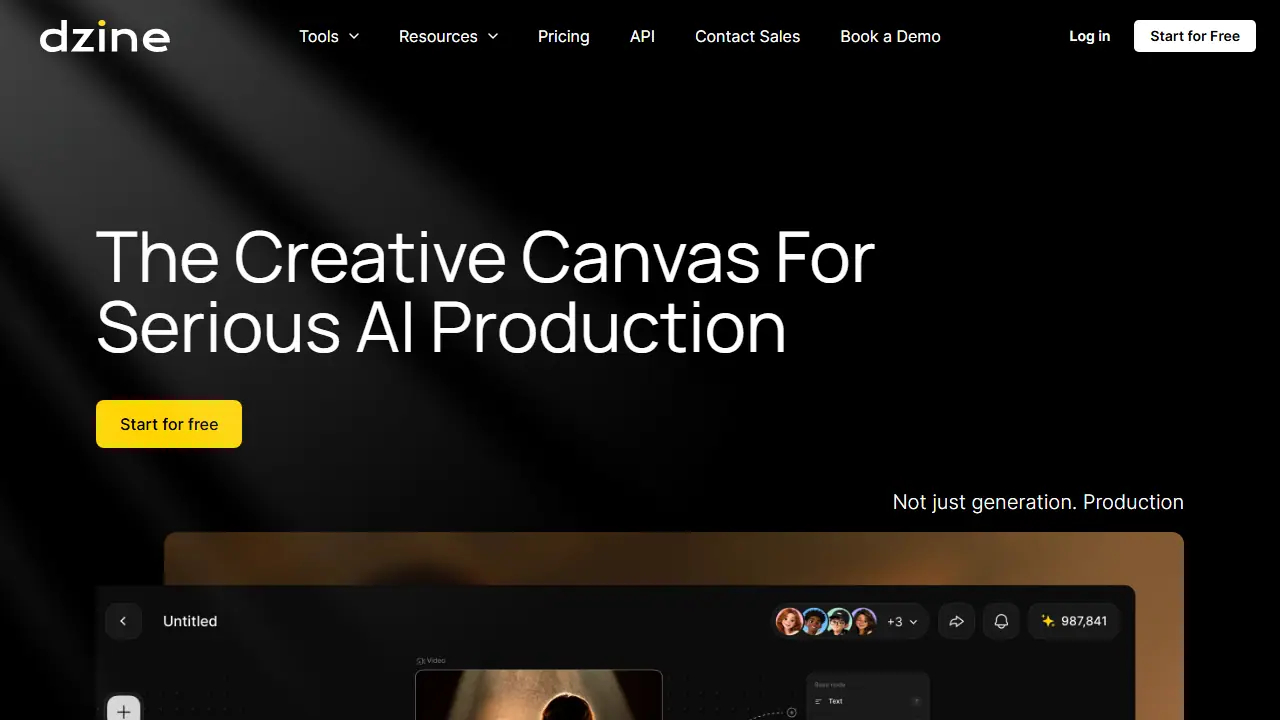
What is Dzine?
Dzine is a browser-based creative suite that brings together AI image generation, AI video generation, enhancement, editing, face swap and lip sync in one workspace. The site describes a canvas-style production environment with asset libraries, script analysis and separate generator nodes for images, video and audio, along with real-time collaboration for directors, designers and clients.
In practice you can generate images from text, turn images or text into video, sync speech to a face, upscale video, remove objects or watermarks, apply style filters such as anime or Pixar effects, and create consistent characters. Dzine also offers a record of the creative process and tools to flag possible copyright or likeness similarity risks, and it lists several third-party models such as Nano Banana Pro, Sora 2, Kling 2.6 and Veo 3.1.
Key features
- Text-to-image and image-to-video generation
- Lip sync and multi-character lip sync
- Video upscaling up to 8K (higher tiers)
- Object and watermark removal from images and video
- AI photo and video filters including style transfer
- Consistent character generation and 2D-to-3D conversion
- Team seats, shared asset library and role management
Who is it for
- content creators
- social media marketers
- design and video production teams
- agencies and studios
How to get started with Dzine
- Go to the Dzine website and click the Start for Free button.
- Choose whether to generate an image, generate a video, or edit a photo.
- Enter a prompt or upload source material, then start generation.
- Refine the result in the same environment, e.g. remove an object or change text.
- You want to generate and edit images and videos in one place.
- You work in a team and need shared workspace with credit management.
- You need lip sync or stylized filters, e.g. anime or Pixar.
- You need a clearly defined free plan, as the text does not describe its scope.
- You require a Polish-language interface, which the platform does not offer.
Pros and cons
- Combines image, video, enhancement and lip sync in one place
- Access to multiple leading third-party AI models
- Team collaboration with budget and seat management
- Credit-based usage limits the amount of generation on each plan
- Free access is limited to a trial, so full features require a paid plan
Dzine pricing
| Plan | Price | Includes |
|---|---|---|
| Beginner | 8.99 USD / month | 1000 credits/mo; 50% off first month promo for new users (4.49 USD first month); 10 GB asset library; 8 concurrent jobs; no credit rollover; annual billing 7 USD/mo (84 USD billed annually) |
| Creator | 24.99 USD / month | 6,000 credits/mo; credit rollover up to 3 months; 10 GB asset library; 8 concurrent jobs; commercial use; up to 1080p video upscale; annual billing 20 USD/mo (240 USD billed annually) |
| Master | 59.99 USD / month | 9,000 credits/mo; unlimited images under fair usage policy; credit rollover up to 3 months; annual billing 50 USD/mo (600 USD billed annually) |
| Master Pro | 149.99 USD / month | 30,000 credits/mo; unlimited images under fair usage policy; 100 GB asset library; 15 concurrent jobs; up to 8K video upscale; up to 4X video enhance; annual billing 120 USD/mo (1440 USD billed annually) |
Prices copied from Dzine pricing, checked October 12, 2026. Currency as shown by the vendor; taxes may apply.
Is Dzine free?
There is a free trial. Start for Free option is offered on the homepage; the pricing page does not specify the free plan's limits.
Dzine alternatives
| Tool | Price from | Free plan | Category |
|---|---|---|---|
 Picsart Picsart | 15 USD/mo | ? | Image generators |
 Nsketch AI Nsketch AI | 17 USD/mo | trial | Image generators |
 Igly Igly | not listed | yes | Image generators |
 Affogato Affogato | 24 USD/mo | trial | Image generators |
 Pixlr Pixlr | 2.49 EUR/mo | yes | Image generators |
 getimg.ai getimg.ai | 60 PLN/mo | ? | Image generators |
FAQ
What is Dzine used for?
All-in-one AI creative suite for generating, editing and enhancing images and videos, plus lip sync, for creators and teams.
Is Dzine free?
There is a free trial. Start for Free option is offered on the homepage; the pricing page does not specify the free plan's limits.
How much does Dzine cost?
The cheapest paid plan is 8.99 USD/mo (vendor pricing, October 12, 2026).
What are the best Dzine alternatives?
Closest alternatives: Picsart, Nsketch AI, Igly, Affogato, Pixlr.
Data checked October 12, 2026 on the vendor website (dzine.ai).