

What is Opera AI?
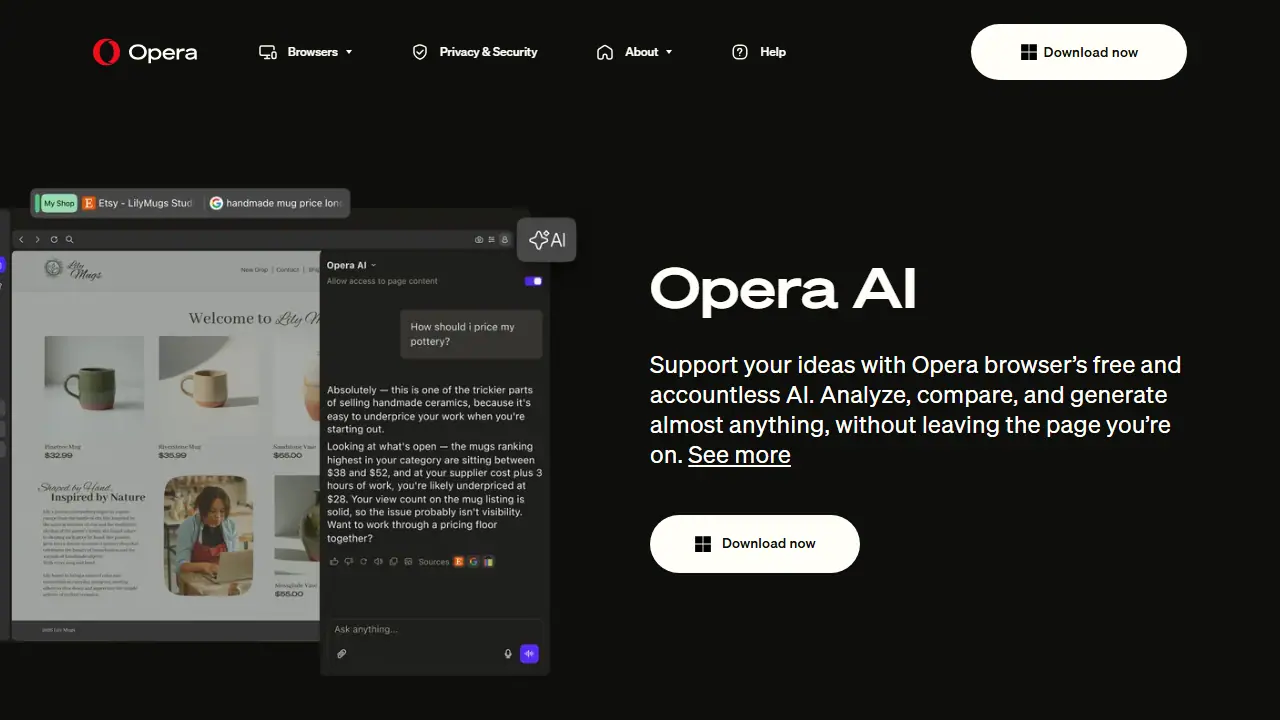
Opera AI (previously Aria AI) is a free assistant built into the Opera browser. It needs no log-in or sign-up. You open it with the Ask AI button in the top-right corner or the shortcut Ctrl + O (Windows) or Cmd + O (macOS), then type a question or describe what you want. According to Opera, it gives access to models from OpenAI and Google in one place.
The assistant understands the page or tab group you are viewing, so you can ask about open tabs, summarize several pages, or compare sources with direct links. You can upload images, reports, PDFs, spreadsheets, and documents to get summaries or key data, and you can highlight text on any webpage to explain it or translate it into 50 languages. It also works with YouTube transcriptions, supports voice input and output, and includes a free AI image generator.
Key features
- Ask about open tabs and tab groups
- Summaries and comparisons across multiple pages with source links
- File and image analysis for PDFs, spreadsheets, and documents
- YouTube transcript search, summary, and translation
- Free AI image generation from text prompts
- Text translation into 50 languages and voice input/output
Who is it for
- Students and researchers comparing sources
- Everyday browser users who want quick answers without signing up
- Creators building moodboards and getting feedback on drafts
How to get started with Opera AI
- Install the Opera browser on your computer.
- Open the Opera AI side panel in the browser.
- Ask a question or ask about your open tabs.
- You already use the Opera browser and want an assistant at hand.
- You research a topic and want to compare several open sources.
- You need summaries of pages, PDFs or spreadsheets without creating an account.
- You don't use the Opera browser and want a standalone AI tool.
- You need clearly described limits or paid plans, which the data does not specify.
Pros and cons
- Free and accountless, with no sign-up needed
- Understands the context of open tabs, so prompts can be short
- Only available within the Opera browser
Opera AI pricing
The vendor does not publish prices in a readable form (often pricing is shown only after signing in).
Is Opera AI free?
Yes, there is a free plan. Free access to Opera AI with no log-in, including the AI image generator and access to OpenAI and Google models.
Opera AI alternatives
| Tool | Price from | Free plan | Category |
|---|---|---|---|
 Sider Sider | not listed | yes | Browser extensions |
 Gemini in Chrome Gemini in Chrome | 97,99 PLN/mo | ? | Browser extensions |
 MaxAI MaxAI | 12 USD/mo | yes | Browser extensions |
 HARPA AI HARPA AI | 55.4 PLN/mo | ? | Browser extensions |
 QuillBot QuillBot | not listed | ? | Writing & editing |
 Gist AI Gist AI | not listed | yes | Browser extensions |
All alternatives to Opera AI →
Comparisons
FAQ
What is Opera AI used for?
Free, accountless AI assistant built into the Opera browser that answers questions, summarizes tabs and files, and generates images.
Is Opera AI free?
Yes, there is a free plan. Free access to Opera AI with no log-in, including the AI image generator and access to OpenAI and Google models.
How much does Opera AI cost?
The vendor does not publish prices publicly or requires sign-in.
What are the best Opera AI alternatives?
Closest alternatives: Sider, Gemini in Chrome, MaxAI, HARPA AI, QuillBot.
Data checked October 12, 2026 on the vendor website (opera.com).