

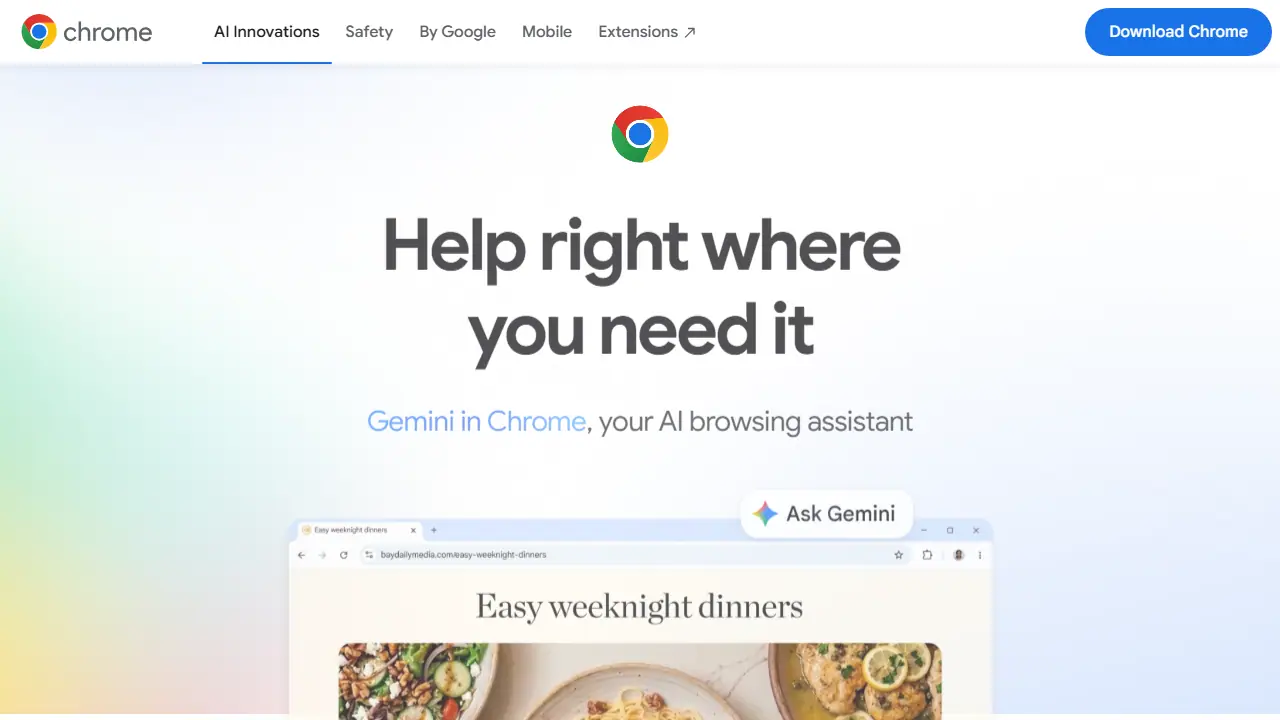
What is Gemini in Chrome?
Gemini in Chrome is Google's AI assistant built into the Chrome browser on desktop and mobile. It works with the tabs you have open, so you can ask questions, compare information across pages, and get help with content on the page you are reading. On Android it can work with anything on screen, and on iOS it is built directly into the Chrome app.
In practice you can select content and ask about it, summarize articles and YouTube videos, create calendar events in Google Calendar, edit or generate images in a tab with Nano Banana, and save frequently used prompts as skills. For U.S. subscribers to Google AI Pro or Ultra, auto browse can carry out multi-step tasks such as filling a shopping cart or booking a reservation. You control its activity, can pause it, limit what it can access, and delete your history.
Key features
- Asks questions about open tabs and compares information across pages
- Select content on a page and ask about it
- Summarizes content and YouTube videos
- Nano Banana: creates or edits images inside a tab
- Skills: saves frequent prompts for one-click reuse
- Auto browse: performs multi-step web tasks (U.S. Google AI Pro and Ultra subscribers)
- Works with Google Calendar and other Google products
Who is it for
- Everyday Chrome users
- Mobile users on Android and iOS
- Google AI Pro and Ultra subscribers in the U.S.
How to get started with Gemini in Chrome
- Open the Google Chrome browser on your computer or phone.
- Click the Gemini icon in the upper right corner of the browser.
- Ask a question about an open tab or request a summary of an article.
- You often compare information from several open pages.
- You want to quickly summarize articles or YouTube videos without switching apps.
- You already use Chrome and prefer an assistant built into the browser.
- You need Auto browse but live outside the USA or don't have a Google AI Pro or Ultra plan.
- You don't use Chrome and don't want to install it.
Pros and cons
- Integrated directly into Chrome on desktop and mobile
- User control over activity, access, and history
- Auto browse is limited to Google AI Pro and Ultra subscribers in the U.S.
- Some mobile features are limited to select devices, countries, and users 18+
Gemini in Chrome pricing
| Plan | Price | Includes |
|---|---|---|
| Bezpłatny | 0 PLN / month | Gemini w Chrome z kontem Google |
| Google AI Pro | 97,99 PLN / month | wyższe limity; auto browse tylko w USA |
| Google AI Ultra | 469,99 PLN / month | najwyższe limity; wariant 979,99 zł |
Prices copied from Gemini in Chrome pricing, checked October 12, 2026. Currency as shown by the vendor; taxes may apply.
Gemini in Chrome pricing details →
Is Gemini in Chrome free?
The vendor does not state this clearly on the homepage or pricing page.
Featured in
Gemini in Chrome alternatives
| Tool | Price from | Free plan | Category |
|---|---|---|---|
 Opera AI Opera AI | not listed | yes | Browser extensions |
 HARPA AI HARPA AI | 55.4 PLN/mo | ? | Browser extensions |
 Sider Sider | not listed | yes | Browser extensions |
 MaxAI MaxAI | 12 USD/mo | yes | Browser extensions |
 AIPRM AIPRM | not listed | yes | Browser extensions |
 Monica Monica | 8,3 USD/mo | yes | Chatbots & AI assistants |
All alternatives to Gemini in Chrome →
Comparisons
- Gemini in Chrome vs Sider
- Gemini in Chrome vs MaxAI
- Gemini in Chrome vs Opera AI
- Gemini in Chrome vs AIPRM
FAQ
What is Gemini in Chrome used for?
AI browsing assistant built into Google Chrome that answers questions about open tabs, summarizes pages and videos, and can act on web tasks.
Is Gemini in Chrome free?
The vendor does not state this clearly on the homepage or pricing page.
How much does Gemini in Chrome cost?
The cheapest paid plan is 97,99 PLN/mo (vendor pricing, October 12, 2026).
What are the best Gemini in Chrome alternatives?
Closest alternatives: Opera AI, HARPA AI, Sider, MaxAI, AIPRM.
Data checked October 12, 2026 on the vendor website (google.com).