

What is BurnRate?
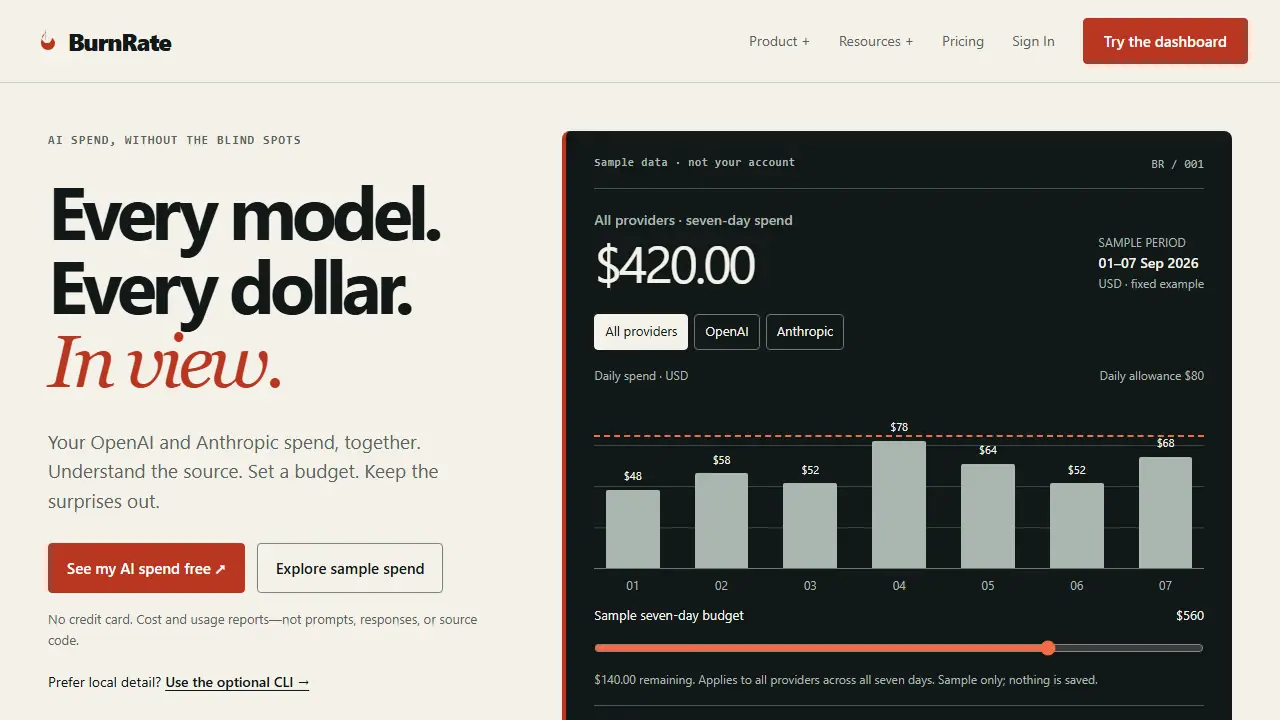
BurnRate is a cost analytics dashboard for AI model spending. You connect your OpenAI and Anthropic reporting accounts, and it shows daily spend across them in one place, with a provider ledger that separates provider-reported totals from local API-equivalent estimates. The page states that cloud reporting uses cost and usage reports rather than prompts, responses or source code.
You can set a budget and track spend against it, see cost trends, and, on the paid plans, compare providers and models and receive alerts. An optional local CLI, installed via Homebrew on macOS or from releases on Windows and Linux, adds session, project and agent-level detail for tools such as Claude Code, Cursor and GitHub Copilot. A Team plan adds a shared workspace with member roles and aggregate reporting.
Key features
- Daily spend view across OpenAI and Anthropic reporting accounts
- Provider ledger with source labels for provider-reported and estimated costs
- Workspace budgets with cost trend tracking
- Provider and model comparisons and savings recommendations (Pro)
- Automated Slack and email alerts (Pro)
- Optional local CLI covering Claude Code, Cursor, Codex, Copilot, Windsurf, Cline and Aider
Who is it for
- Developers and individuals tracking AI API spend
- Engineering teams that need shared AI cost visibility
- Finance or operations staff monitoring AI tool budgets
Pros and cons
- Combines OpenAI and Anthropic spend in a single dashboard
- Cloud reporting explicitly excludes prompts, responses and source code
- Free plan available with no credit card required
- Free plan limited to 3 usage sources, 1 workspace budget and 30-day history
- Team pricing is per seat and billed monthly
BurnRate pricing
| Plan | Price | Includes |
|---|---|---|
| Free | 0 USD / empty | Up to 3 usage sources, 1 Relay device, 1 workspace budget, 30-day history |
| Pro | 12 USD / month | Unlimited sources and history, provider/model comparisons, recommendations, Slack and email alerts, JSON export |
| Team | 29 USD / month | Per seat; everything in Pro plus shared workspace, aggregate provider reporting, member roles, owner-managed seat billing, priority support |
Prices copied from BurnRate pricing, checked October 12, 2026. Currency as shown by the vendor; taxes may apply.
Is BurnRate free?
Yes, there is a free plan. Free plan: cloud overview and provider spend ledger, continuous basic usage tracking, up to 3 usage sources (including 1 Relay), 1 workspace budget, 30-day history, manual and basic scheduled sync.
Featured in
- Best AI for Excel - #8
BurnRate alternatives
| Tool | Price from | Free plan | Category |
|---|---|---|---|
 Deepnote Deepnote | 39 USD/mo | yes | Data & Excel |
 Snowflake Cortex AI Snowflake Cortex AI | not listed | trial | Data & Excel |
 Lusha Lusha | not listed | yes | Data & Excel |
 Microsoft Foundry Microsoft Foundry | not listed | ? | AI agents |
 Zapier Zapier | od 19,99 USD/mo | yes | Automation |
 Rows Rows | 6 USD (billed annually) / 8 USD (billed monthly)/mo | yes | Data & Excel |
All alternatives to BurnRate →
FAQ
What is BurnRate used for?
Dashboard that combines OpenAI and Anthropic spend in one view, with budgets and alerts, for individuals and engineering teams.
Is BurnRate free?
Yes, there is a free plan. Free plan: cloud overview and provider spend ledger, continuous basic usage tracking, up to 3 usage sources (including 1 Relay), 1 workspace budget, 30-day history, manual and basic scheduled sync.
How much does BurnRate cost?
The cheapest paid plan is 12 USD/mo (vendor pricing, October 12, 2026).
What are the best BurnRate alternatives?
Closest alternatives: Deepnote, Snowflake Cortex AI, Lusha, Microsoft Foundry, Zapier.
Data checked October 12, 2026 on the vendor website (getburnrate.io).