

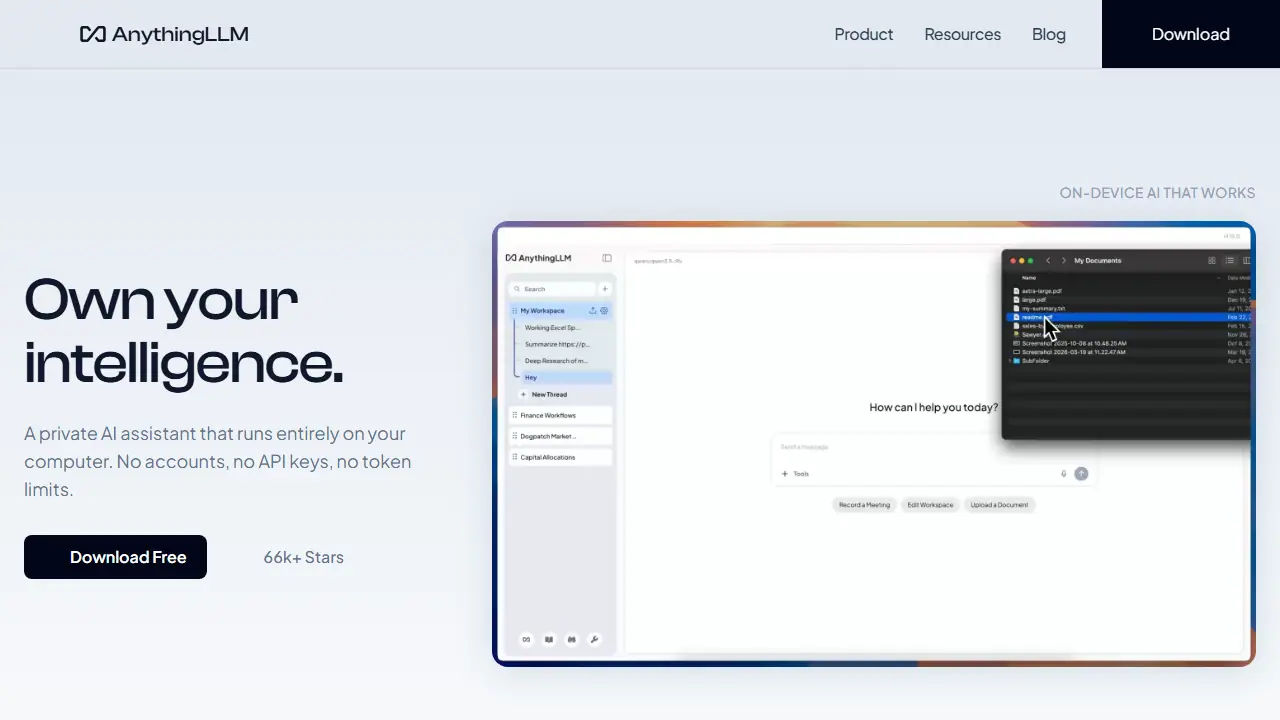
What is AnythingLLM?
AnythingLLM is a desktop app (macOS, Windows, Linux) that runs an AI assistant entirely on your device. You download one file, pick a local model or let the app recommend one for your hardware, and start chatting. No accounts, API keys or token limits are needed for the local setup.
You can add documents to a knowledge base so the agent answers questions based on your files, with no data leaving the computer. It also offers web search and scraping, a Meeting Assistant that transcribes and summarizes calls locally, dictation with context awareness, custom agent skills, background jobs and a developer API. A companion Android app runs small models on-device, and a cloud version with paid plans offers a private multi-user workspace for teams.
Key features
- Document knowledge base chat, data stays on device
- Meeting Assistant transcribing and summarizing calls locally
- Web search and scraping
- Dynamic model selection based on hardware
- Custom agent skills and background jobs
- Developer API and multi-user self-hosting
Who is it for
- privacy-conscious individuals
- knowledge workers handling documents
- small teams and enterprises self-hosting
- developers building AI workflows
How to get started with AnythingLLM
- Download the AnythingLLM app for your system (macOS, Windows, or Linux).
- Install and launch it, without creating an account.
- Choose a model yourself or let the app match one to your hardware.
- Add the documents you want to chat with as the agent's knowledge base.
- You want to chat with documents while keeping data on your own computer.
- You need local transcription and summaries of meetings without a bot joining the call.
- You build custom AI tools or automations and need an API and self-hosting.
- You need a Polish-language interface, which the data marks as not supported.
- You want a mobile version with large models, since the mobile app runs only smaller models on-device.
Pros and cons
- Runs locally with no accounts, API keys or token limits
- MIT licensed, open source with 66k+ GitHub stars
- Cloud plans are paid and priced per month
- Mobile app runs only small models on-device
AnythingLLM pricing
| Plan | Price | Includes |
|---|---|---|
| Basic (Cloud) | 50 USD / month | Private instance, custom subdomain, bring your own LLM API key |
| Pro (Cloud) | 99 USD / month | Higher performance with priority resources, 72-hour support SLA |
Prices copied from AnythingLLM pricing, checked October 12, 2026. Currency as shown by the vendor; taxes may apply.
Is AnythingLLM free?
Yes, there is a free plan. Desktop app is free to download and use locally, with no accounts or API keys required.
Featured in
- Best AI for chatting - #8
AnythingLLM alternatives
| Tool | Price from | Free plan | Category |
|---|---|---|---|
 Microsoft Copilot Microsoft Copilot | 27.73 EUR/mo | trial | Chatbots & AI assistants |
 Monica Monica | 8,3 USD/mo | yes | Chatbots & AI assistants |
 Open WebUI Open WebUI | not listed | yes | Chatbots & AI assistants |
 ChatGPT ChatGPT | 34,99 PLN/mo | yes | Chatbots & AI assistants |
 Claude Claude | 17 USD/mo | yes | Chatbots & AI assistants |
 Grok Grok | 30 USD/mo | yes | Chatbots & AI assistants |
All alternatives to AnythingLLM →
FAQ
What is AnythingLLM used for?
Free, private AI assistant that runs on your own computer, for chatting with documents, research and workflows without cloud API keys.
Is AnythingLLM free?
Yes, there is a free plan. Desktop app is free to download and use locally, with no accounts or API keys required.
How much does AnythingLLM cost?
The cheapest paid plan is 50 USD/mo (vendor pricing, October 12, 2026).
What are the best AnythingLLM alternatives?
Closest alternatives: Microsoft Copilot, Monica, Open WebUI, ChatGPT, Claude.
Data checked October 12, 2026 on the vendor website (anythingllm.com).