

What is Kimi?
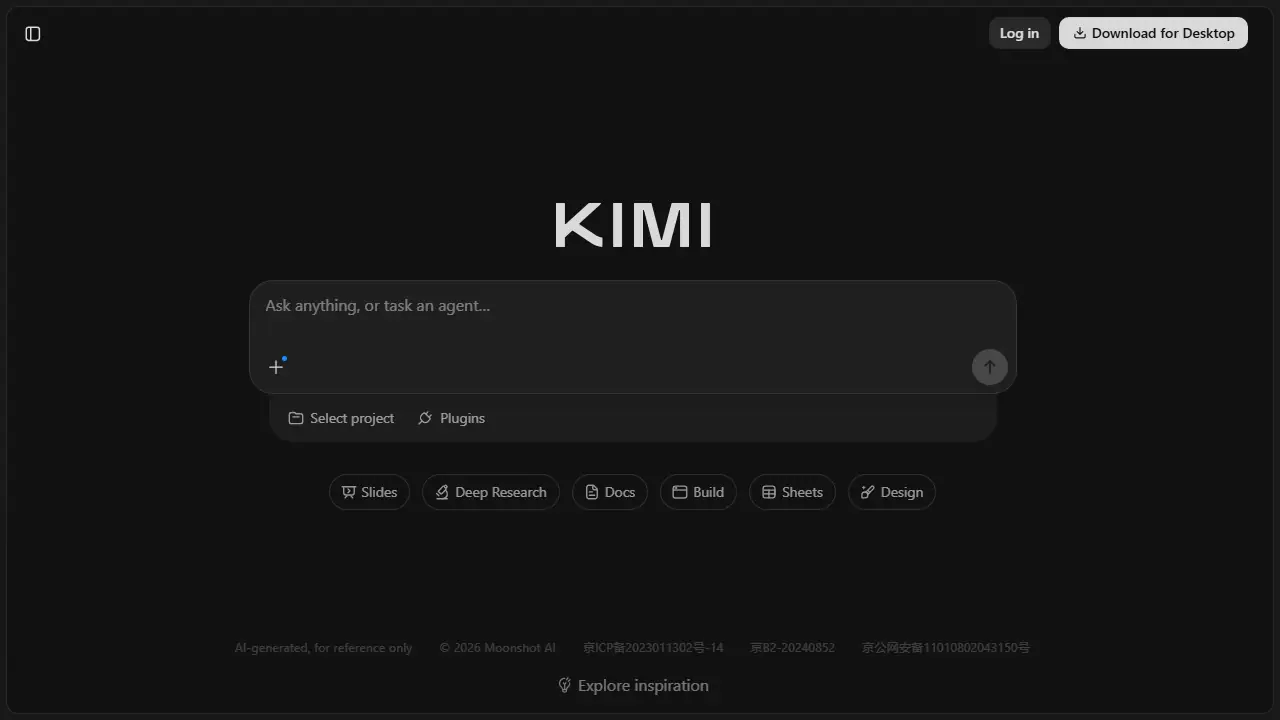
Kimi is a general AI assistant made by Moonshot AI, offered through a web app and a desktop download. The homepage promotes its Kimi K3 model for agentic coding, building playable multiplayer and 3D games, and producing presentation-quality slides. It also lists Swarm and Goal modes for running several tasks in parallel.
From the homepage, you start a new chat or task an agent with a prompt, optionally inside a project. Built-in tools include Slides, Deep Research, Docs, Sheets, Design, Build, Plugins and scheduled tasks. Chat history syncs after logging in. The page text does not describe pricing details beyond the plan prices shown in the linked pricing script, and it does not state which features are limited on each plan.
Key features
- Chat-based AI assistant
- Agentic coding and game building (K3 model)
- Slide generation
- Deep Research mode
- Parallel tasks with Swarm and Goal
- Docs and Sheets creation
Who is it for
- developers
- knowledge workers
- consultants
- students
How to get started with Kimi
- Open the Kimi website in your browser or download the desktop app
- Create an account and log in to the chat interface
- Choose a work mode: coding, Deep Research, Slides, Docs or Sheets
- Describe the task specifically, e.g. a game, a presentation or a source summary
- You need one place for code, presentations, documents and spreadsheets
- You want an agent to handle a multi-step task, e.g. building a simple game
- You are gathering sources on a topic and need a summary with references
- You need a Polish-language interface, which the provided description does not mention
- You need a clearly defined free plan, and the data does not specify one
Pros and cons
- Combines chat, coding, slides and research in one place
- Parallel task execution with Swarm and Goal
- Plan limits and feature differences are not described in the page text
Kimi pricing
| Plan | Price | Includes |
|---|---|---|
| Adagio | 0 USD | 1 zadanie agenta naraz, 2 projekty |
| Plus | 15 USD / month | przy płatności rocznej (180 USD/rok), 19 USD miesięcznie |
| Pro | 31 USD / month | przy płatności rocznej (372 USD/rok), 39 USD miesięcznie, 2x kredyty |
| Max | 79 USD / month | przy płatności rocznej (948 USD/rok), 99 USD miesięcznie, 5x kredyty |
| Ultra | 159 USD / month | przy płatności rocznej (1908 USD/rok), 199 USD miesięcznie, 10x kredyty |
Prices copied from Kimi pricing, checked October 12, 2026. Currency as shown by the vendor; taxes may apply.
Is Kimi free?
The vendor does not state this clearly on the homepage or pricing page.
Featured in
- Best AI for Excel - #7
- Best AI for chatting - #10
Kimi alternatives
| Tool | Price from | Free plan | Category |
|---|---|---|---|
 ChatGPT ChatGPT | 34,99 PLN/mo | yes | Chatbots & AI assistants |
 Microsoft Copilot Microsoft Copilot | 27.73 EUR/mo | trial | Chatbots & AI assistants |
 Grok Grok | 30 USD/mo | yes | Chatbots & AI assistants |
 DeepSeek DeepSeek | 0.02 USD | ? | Chatbots & AI assistants |
 Claude Claude | 17 USD/mo | yes | Chatbots & AI assistants |
 HuggingChat HuggingChat | not listed | ? | Chatbots & AI assistants |
Comparisons
FAQ
What is Kimi used for?
AI assistant from Moonshot AI for chat, agentic coding, slide decks and deep research, aimed at developers and knowledge workers.
Is Kimi free?
The vendor does not state this clearly on the homepage or pricing page.
How much does Kimi cost?
The cheapest paid plan is 15 USD/mo (vendor pricing, October 12, 2026).
What are the best Kimi alternatives?
Closest alternatives: ChatGPT, Microsoft Copilot, Grok, DeepSeek, Claude.
Data checked October 12, 2026 on the vendor website (kimi.com).