

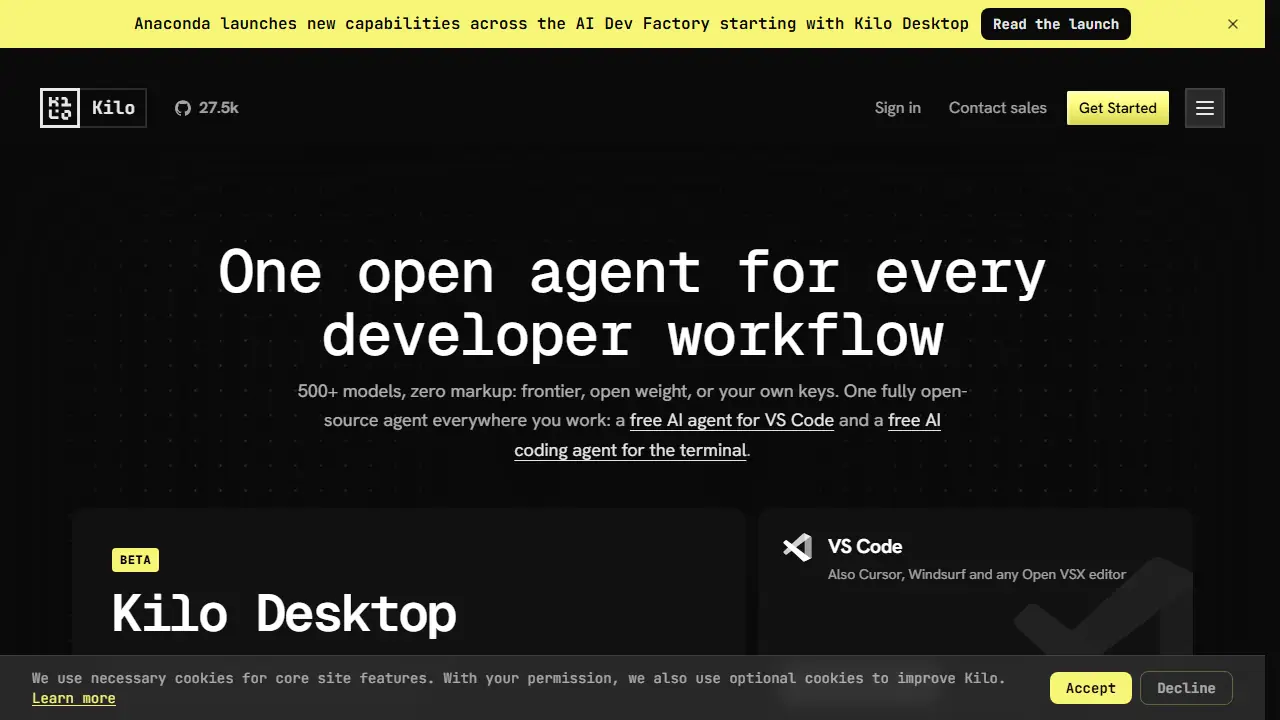
What is Kilo Code?
Kilo is an open source AI coding agent that runs inside VS Code, Cursor, Windsurf and other Open VSX editors, JetBrains IDEs such as IntelliJ, PyCharm and WebStorm, in a CLI for any shell or CI job, and as cloud agents you can start from a browser, Slack or mobile app. It also ships a desktop app for code and data, currently in beta. Its gateway gives access to over 500 models from more than 60 providers, billed at exact provider rates with no markup, and you can bring your own keys or run local models with Ollama or LM Studio.
In practice you can ask the agent to explain why a test is flaky, edit files, run a test suite repeatedly and report back. Specialized modes such as Code, Architect and Debug switch the agent's focus without switching tools, and Auto Model picks a model strategy (Efficient, Frontier or Free) for the task. Because the MIT-licensed source is public, you can inspect prompts and context, fork the project or self-host it.
Key features
- Agent modes: Code, Architect, Debug and Custom
- Runs in VS Code, JetBrains IDEs, CLI and cloud agents
- Auto Model routing between Efficient, Frontier and Free tiers
- Bring your own API keys or use local models via Ollama and LM Studio
- Parallel isolated worktrees for local and cloud agents
- Cloud agents and code review workflows
Who is it for
- Software developers
- Engineering teams
- Teams wanting open source or self-hosted AI coding tools
How to get started with Kilo Code
- Install the Kilo Code extension in VS Code or another Open VSX editor
- Choose the Auto Free plan or enter your own API key
- Open your project and describe the task in the agent panel
- You work in VS Code or JetBrains and want an agent for writing and refactoring code
- You need control over your data, such as your own API keys or local models
- You want the same agent in your editor, terminal, and CI scripts
- You need a Polish-language interface, because there isn't one
- You want a fully stable desktop app, since Kilo Desktop is still in beta
Pros and cons
- Open source under the MIT license, with visible prompts and context
- Models billed at provider rates with no markup
- Desktop app is still in beta
- Cloud compute is billed separately from inference
Kilo Code pricing
| Plan | Price | Includes |
|---|---|---|
| Free & Open Source | 0 USD / month | Usage billed separately; works with any AI model, BYOK or local models |
| Teams | 15 USD / month | Per user; adds usage analytics, shared agent modes, centralized billing, shared BYOK, data privacy controls and priority support; 14-day Enterprise trial |
| Kilo Pass Starter | 19 USD / month | Monthly credit subscription with up to 50% bonus credits on annual billing |
| Kilo Pass Pro | 49 USD / month | Monthly credit subscription with bonus credits |
| Kilo Pass Expert | 199 USD / month | Monthly credit subscription with bonus credits |
Prices copied from Kilo Code pricing, checked October 12, 2026. Currency as shown by the vendor; taxes may apply.
Is Kilo Code free?
Yes, there is a free plan. Free plan for individuals with the open source VS Code, JetBrains and CLI extensions, and Auto Free routing to free models through Kilo Gateway where available. Enterprise-level Teams plans include a 14-day trial.
Kilo Code alternatives
| Tool | Price from | Free plan | Category |
|---|---|---|---|
 Cursor Cursor | 20 USD/mo | yes | Coding |
 Google Antigravity Google Antigravity | 30 USD/mo | yes | Coding |
 OpenAI Codex OpenAI Codex | 71 PLN/mo | no | Coding |
 Devin Desktop Devin Desktop | 20 USD/mo | yes | Coding |
 Kiro Kiro | 20 USD/mo | yes | Coding |
 OpenHands OpenHands | not listed | yes | Coding |
All alternatives to Kilo Code →
FAQ
What is Kilo Code used for?
Open source AI coding agent for developers, running in VS Code, JetBrains, the terminal and the cloud, with 500+ models at provider cost.
Is Kilo Code free?
Yes, there is a free plan. Free plan for individuals with the open source VS Code, JetBrains and CLI extensions, and Auto Free routing to free models through Kilo Gateway where available. Enterprise-level Teams plans include a 14-day trial.
How much does Kilo Code cost?
The cheapest paid plan is 15 USD/mo (vendor pricing, October 12, 2026).
What are the best Kilo Code alternatives?
Closest alternatives: Cursor, Google Antigravity, OpenAI Codex, Devin Desktop, Kiro.
Data checked October 12, 2026 on the vendor website (kilocode.ai).