

What is Cursor?
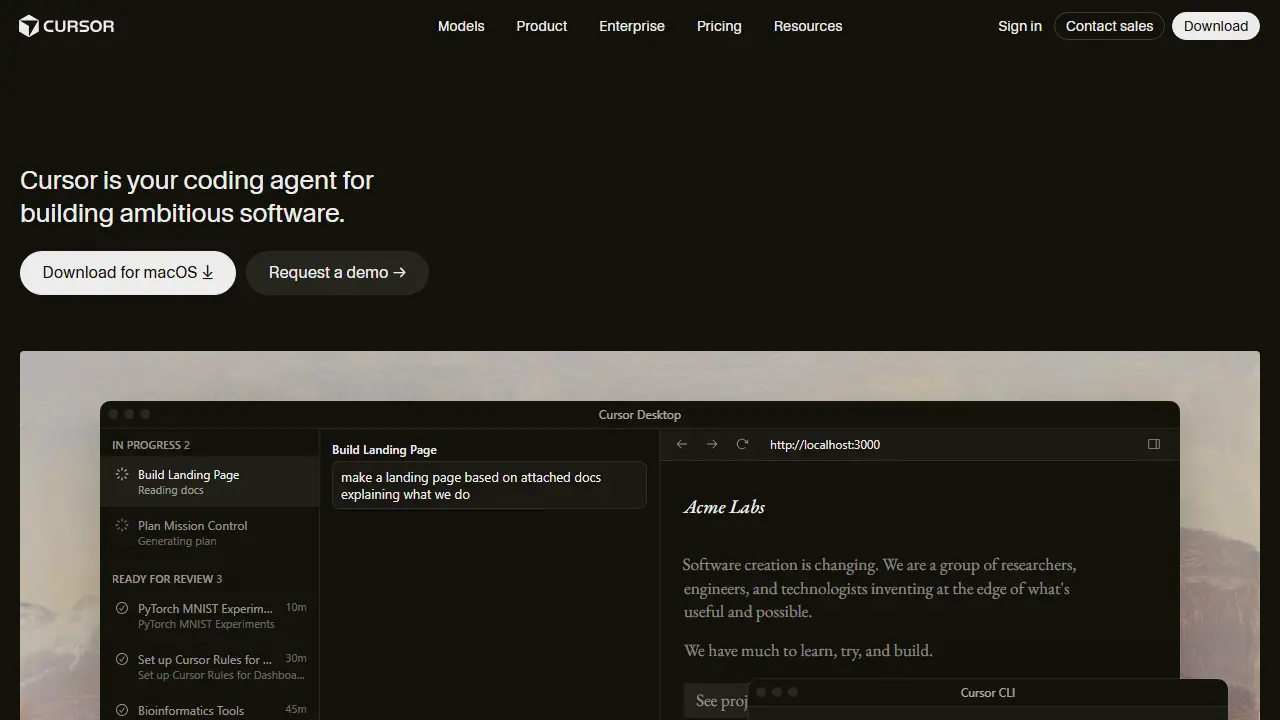
Cursor is an AI coding agent built by Anysphere, offered as a desktop IDE, a CLI, cloud agents and integrations with Slack and GitHub. You describe a feature or bug in plain language, and the agent explores the codebase, writes and edits code, and can run in parallel with other tasks.
Cloud agents work autonomously on their own machines, using them to build, test and demo features so you can review the result. Cursor also offers code review (Bugbot), a shared team marketplace for rules and skills, and Grok Bot, which can sign in to your tools and return finished work. Teams can add centralized billing, SSO and usage analytics.
Key features
- AI coding agent that turns ideas into code
- Cloud agents that build, test and demo features autonomously
- Parallel task execution with Mission Control view
- Command-line Cursor CLI
- Slack and GitHub integration for code review and PRs
- Bugbot agentic code review
Who is it for
- software developers
- engineering teams
- enterprise organizations
How to get started with Cursor
- Download the Cursor application for your operating system.
- Create a free Hobby account, no credit card required.
- Open your project in the editor and describe the task to the agent.
- Review the changes the agent made and decide whether to accept them.
- You are a programmer who wants an agent to plan and make changes across the whole project.
- You work on a development team and want to combine editor, terminal, Slack and GitHub workflows.
- You need parallel cloud agents that test features and show a finished result.
- You need a Polish-language interface, which is not available.
- You want to use only the free plan without limits, but the free plan has a limited number of agent requests.
Pros and cons
- Agents run in parallel and can work autonomously
- Integrates with terminal, Slack and GitHub
- Usage limits apply, with on-demand usage billed in arrears on paid plans
- Enterprise features require custom pricing
Cursor pricing
| Plan | Price | Includes |
|---|---|---|
| Hobby | 0 USD | limited Agent requests, access to Composer |
| Individual Pro | 20 USD / month | extended Agent limits, frontier models, cloud agents, Grok Bot access |
| Teams Standard | 40 USD / month | per user; centralized billing, team marketplace, SSO, usage analytics |
Prices copied from Cursor pricing, checked October 12, 2026. Currency as shown by the vendor; taxes may apply.
Is Cursor free?
Yes, there is a free plan. Hobby plan: limited Agent requests and access to Composer, no credit card required.
Featured in
Cursor alternatives
| Tool | Price from | Free plan | Category |
|---|---|---|---|
 Google Antigravity Google Antigravity | 30 USD/mo | yes | Coding |
 OpenAI Codex OpenAI Codex | 71 PLN/mo | no | Coding |
 Kilo Code Kilo Code | 15 USD/mo | yes | Coding |
 Devin Desktop Devin Desktop | 20 USD/mo | yes | Coding |
 Kiro Kiro | 20 USD/mo | yes | Coding |
 OpenHands OpenHands | not listed | yes | Coding |
Comparisons
FAQ
What is Cursor used for?
AI coding agent and IDE that turns ideas into code, running tasks in parallel for developers and engineering teams.
Is Cursor free?
Yes, there is a free plan. Hobby plan: limited Agent requests and access to Composer, no credit card required.
How much does Cursor cost?
The cheapest paid plan is 20 USD/mo (vendor pricing, October 12, 2026).
What are the best Cursor alternatives?
Closest alternatives: Google Antigravity, OpenAI Codex, Kilo Code, Devin Desktop, Kiro.
Data checked October 12, 2026 on the vendor website (cursor.com).