

What is CodeRabbit?
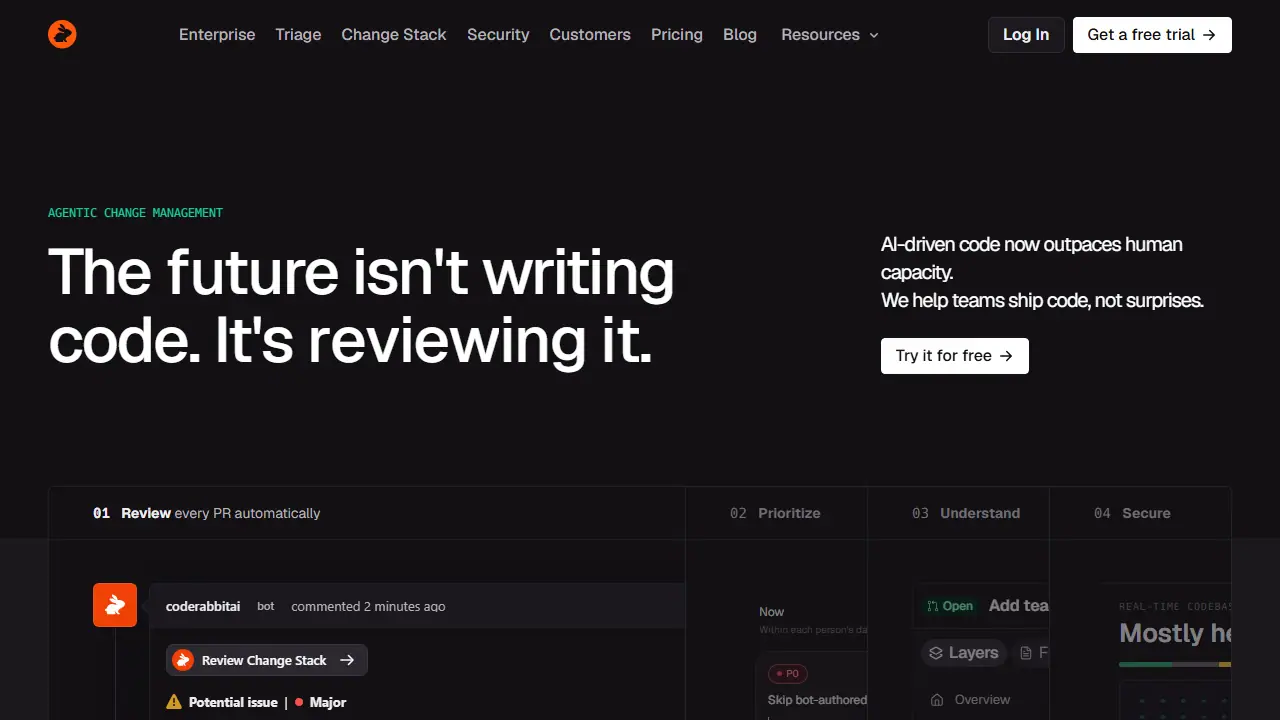
CodeRabbit is an AI tool for reviewing code changes in pull requests. It runs automated reviews on every PR, flags potential issues with severity labels, and can suggest committable fixes. It also includes triage, which ranks pending review work by priority, and a change stack view for understanding how changes fit together.
In practice, teams connect it to their repositories and it comments on PRs like a reviewer, can be asked questions in chat, learns team conventions from feedback, and integrates with linters, SAST tools, Jira and Linear. Higher plans add multi-repo analysis, custom pre-merge checks, post-merge actions, and security review of each PR, along with a separate usage-based security scan and a cloud agent billed per minute.
Key features
- Automatic AI review of every pull request
- One-click suggested fixes
- PR triage ranking work by priority
- Learnings from team feedback and conventions
- Linter and SAST tool integration
- Jira and Linear integrations
- Continuous security monitoring (higher plans)
Who is it for
- Software development teams
- Engineering managers
- Security teams
- Enterprises using AI coding agents
How to get started with CodeRabbit
- Create an account and install the CodeRabbit app in GitHub or GitLab.
- Select the repositories that should be reviewed automatically.
- Open a pull request and wait for the bot's automatic review.
- Your team handles many pull requests and lacks time for manual reviews.
- You want reviews to follow your repository's conventions.
- You use coding agents and want to catch issues before production.
- You need a free plan without a time limit, as the tool offers only a 14-day trial.
- Your interface must be in Polish, and the tool does not support it.
Pros and cons
- Learns repository conventions from reviewer feedback
- Works with coding agents, MCP and Slack
- Advanced features such as triage and security review require higher-priced plans
- Review volume is limited per developer per hour, with pay-as-you-go beyond included limits
CodeRabbit pricing
| Plan | Price | Includes |
|---|---|---|
| Essentials | 24 USD / month | per developer, billed annually; 5 PR reviews per developer per hour, 5 MCP connections, 1 multi-repo |
| Team | 48 USD / month | per developer, billed annually; 8 reviews per hour, 10 MCP connections, 5 multi-repo, 10 custom checks |
| Advanced | 72 USD / month | per developer, billed annually; 10 reviews per hour, 15 MCP connections, 10 multi-repo, blast radius and security review of every PR |
| CodeRabbit Agent | 0.40 USD | per agent minute, usage-based; trial and free minutes used first |
Prices copied from CodeRabbit pricing, checked October 12, 2026. Currency as shown by the vendor; taxes may apply.
Is CodeRabbit free?
There is a free trial. 14-day free trial, no credit card required.
CodeRabbit alternatives
| Tool | Price from | Free plan | Category |
|---|---|---|---|
 Cursor Cursor | 20 USD/mo | yes | Coding |
 Google Antigravity Google Antigravity | 30 USD/mo | yes | Coding |
 OpenAI Codex OpenAI Codex | 71 PLN/mo | no | Coding |
 Kilo Code Kilo Code | 15 USD/mo | yes | Coding |
 OpenHands OpenHands | not listed | yes | Coding |
 Devin Desktop Devin Desktop | 20 USD/mo | yes | Coding |
All alternatives to CodeRabbit →
Comparisons
- Cursor vs CodeRabbit
- OpenAI Codex vs CodeRabbit
- CodeRabbit vs v0 by Vercel
- CodeRabbit vs Google Antigravity
FAQ
What is CodeRabbit used for?
AI code review and PR triage tool for development teams, with change explanations and continuous security monitoring.
Is CodeRabbit free?
There is a free trial. 14-day free trial, no credit card required.
How much does CodeRabbit cost?
The cheapest paid plan is 0.40 USD (vendor pricing, October 12, 2026).
What are the best CodeRabbit alternatives?
Closest alternatives: Cursor, Google Antigravity, OpenAI Codex, Kilo Code, OpenHands.
Data checked October 12, 2026 on the vendor website (coderabbit.ai).