
What is Canva?
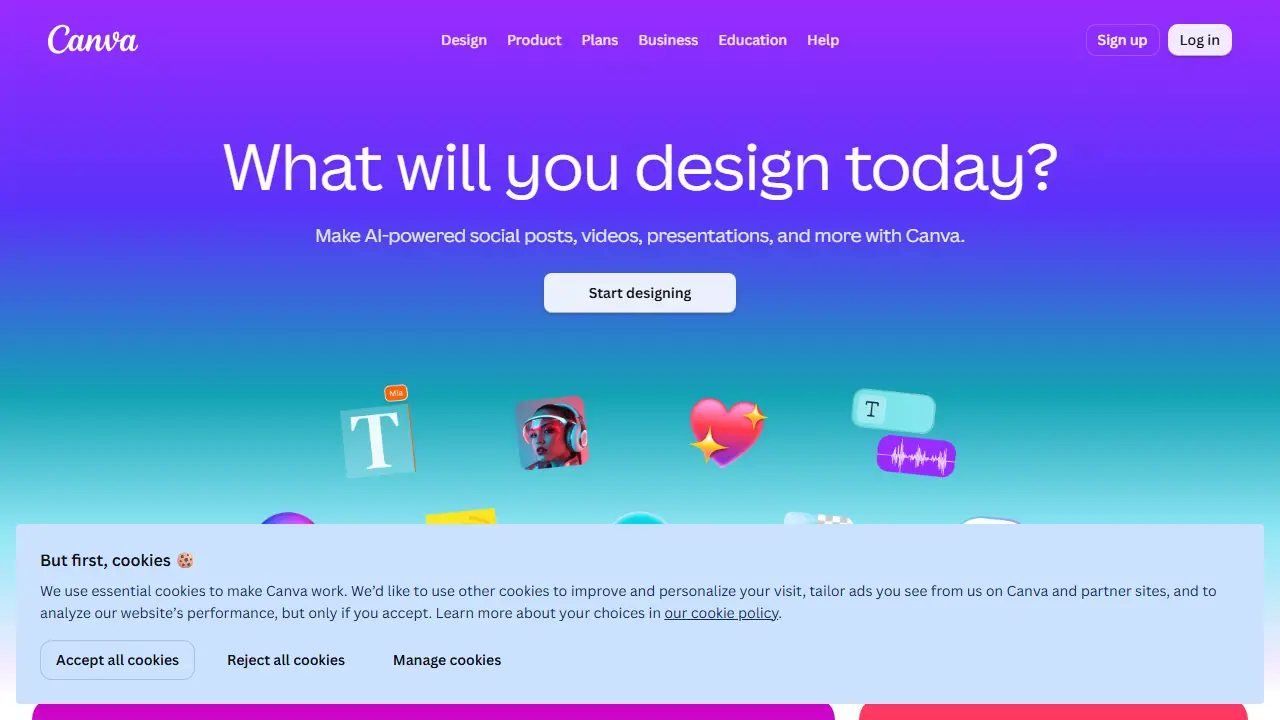
Canva is a browser-based visual design platform. Users start from a large library of templates or a blank canvas and adjust text, images, colours and layouts with a drag-and-drop editor. The homepage highlights a broad set of tools grouped into digital design (presentations, social posts, docs, websites, PDF editing), print design (business cards, flyers, posters, mugs), images and photos (background remover, image enhancer, AI image generator), and videos and audio (video editor, AI voiceover, AI music generator).
Canva AI features are built into the editor. Among those named on the page are Magic Layers, which turns an image into an editable layout, Magic Write for text generation, Magic Resize for adapting a design to other formats, and Magic Eraser for cleaning up photos. Brand Kit keeps colours, fonts and logos consistent, and the Print Shop lets you order printed items directly from a design.
Key features
- Drag-and-drop editor with thousands of templates
- Magic Layers to convert an image into an editable layout
- Background remover for images and videos
- AI image generator and image enhancer
- Brand Kit for consistent colours, fonts and logos
- Print Shop for ordering printed products
Who is it for
- Small businesses and marketers
- Teachers and students
- Content creators
- Large organizations with brand management needs
How to get started with Canva
- Go to the Canva website and create a free account
- Choose a project type, e.g. a social media post or presentation
- Pick a ready template and replace the text and graphics with yours
- You need to quickly make social posts, presentations or posters without knowing graphic software
- You want to keep a consistent brand look across different materials
- You need simple AI tools, e.g. background removal or image generation
- You need full control over advanced graphics, such as professional photo editing or vector illustration
- You need full team features and brand management without paying for the Business plan
Pros and cons
- Large template library covering many formats
- Broad set of AI tools built into the editor
- Free to start, with paid tiers for advanced features
- Advanced features are limited to paid plans
Canva pricing
| Plan | Price | Includes |
|---|---|---|
| Free | 0 PLN / year | 1,6 mln szablonów, 5 GB, do 20 użyć AI |
| Pro | 450 PLN / year | 1 osoba, premium szablony i narzędzia AI, 100 GB |
| Business | 700 PLN / year | za osobę, narzędzia zespołowe, 500 GB |
| Enterprise | wycena indywidualna | kontakt z działem sprzedaży |
Prices copied from Canva pricing, checked October 12, 2026. Currency as shown by the vendor; taxes may apply.
Is Canva free?
Yes, there is a free plan. Free plan available to start designing with templates and basic tools (details on the pricing page).
Featured in
- Best AI for presentations - #1
- Best AI for logo design - #2
- Best AI for social media - #7
- Best AI for emails - #3
- Best AI for summarizing - #3
Canva alternatives
| Tool | Price from | Free plan | Category |
|---|---|---|---|
 QuillBot QuillBot | not listed | ? | Writing & editing |
 Picsart Picsart | 15 USD/mo | ? | Image generators |
 Nano Banana 2 Nano Banana 2 | 23,99 PLN/mo | yes | Image generators |
 Grammarly Grammarly | 12 USD/mo | yes | Writing & editing |
 Designs.ai Designs.ai | not listed | ? | Design & UI |
 Pitch Pitch | 10 USD/mo | yes | Writing & editing |
Comparisons
FAQ
What is Canva used for?
Online graphic design platform for creating social posts, presentations, videos, prints and logos, with AI tools, for individuals and teams.
Is Canva free?
Yes, there is a free plan. Free plan available to start designing with templates and basic tools (details on the pricing page).
How much does Canva cost?
The cheapest paid plan is 450 PLN/yr (vendor pricing, October 12, 2026).
What are the best Canva alternatives?
Closest alternatives: QuillBot, Picsart, Nano Banana 2, Grammarly, Designs.ai.
Data checked October 12, 2026 on the vendor website (canva.com).