

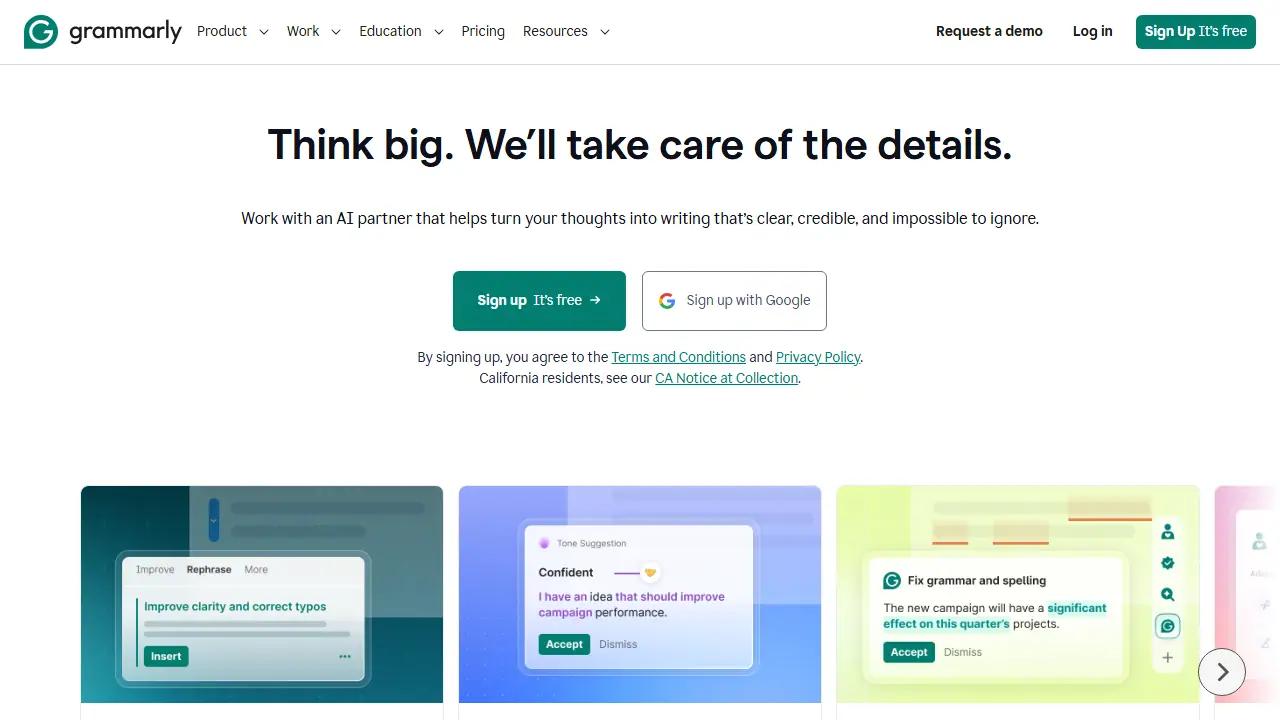
What is Grammarly?
Grammarly is an AI writing assistant that works across apps and websites through its browser extension, desktop app, mobile app and Google Docs integration. It checks spelling, grammar, structure and clarity, and suggests tone adjustments so the text fits the intended audience or brand style. Newer agents add paragraph rewrites, a Humanizer that gives text a more natural voice, and an AI Detector that flags AI-generated passages and areas to revise.
In practice you can fix mistakes as you type, rewrite full sentences with one click, check how a reader is likely to react to a draft, and generate text from prompts. The Free plan covers basic corrections and a limited number of AI prompts, while the Pro and Enterprise plans add full-sentence rewrites, tone controls, plagiarism and AI-text detection, and team features such as style guides and analytics.
Key features
- Grammar, spelling and clarity corrections in any app or website
- Paragraph and full-sentence rewrites
- Tone suggestions adapted to context or brand
- Humanizer agent for more natural writing
- AI Detector for AI-generated text
- Plagiarism detection (Pro)
Who is it for
- Individuals writing emails and documents
- Students and educators
- Marketing, sales and customer support teams
- Large organizations needing admin and security controls
How to get started with Grammarly
- Go to the Grammarly website and create a free account
- Install the Chrome browser extension
- Write in any app or website and review the suggestions
- You write many emails, reports or posts and want to avoid errors
- You need to adjust your tone, e.g. for formal client communication
- You work in customer support or marketing and write in English
- You need proofreading in Polish, as the interface and Polish checking are not available
- You want to use AI features heavily, as the free plan is limited to 100 AI prompts per month
Pros and cons
- Works across many apps and websites
- Keeps the author's voice while improving clarity
- Strong privacy commitments stated on the page
- AI prompts are limited on the Free plan (100 per month)
- Full features require Pro or Enterprise
Grammarly pricing
| Plan | Price | Includes |
|---|---|---|
| Free | 0 USD / month | Grammar and spelling checks, tone view, 100 AI prompts/month |
| Pro | 12 USD / month | Per member, billed annually (30 USD when billed monthly); 7-day free trial; 2,000 AI prompts/member/month; plagiarism and AI detection |
Prices copied from Grammarly pricing, checked October 12, 2026. Currency as shown by the vendor; taxes may apply.
Is Grammarly free?
Yes, there is a free plan. Free plan: writing corrections, see your writing tone, and 100 AI prompts per month.
Featured in
- Best AI for writing - #8
- Best AI for emails - #1
- Best AI for summarizing - #4
Grammarly alternatives
| Tool | Price from | Free plan | Category |
|---|---|---|---|
 LanguageTool LanguageTool | 49,90 PLN/mo | yes | Writing & editing |
 QuillBot QuillBot | not listed | ? | Writing & editing |
 Mutiny Mutiny | 50 USD/mo | trial | Writing & editing |
 Teal Teal | 13 USD | yes | Writing & editing |
 HyperWrite HyperWrite | 16 USD/mo | yes | Writing & editing |
 Shortwave Shortwave | 30 USD/mo | trial | Writing & editing |
All alternatives to Grammarly →
Comparisons
FAQ
What is Grammarly used for?
AI writing assistant that checks grammar, tone and clarity and generates text in any app or website, for individuals and teams.
Is Grammarly free?
Yes, there is a free plan. Free plan: writing corrections, see your writing tone, and 100 AI prompts per month.
How much does Grammarly cost?
The cheapest paid plan is 12 USD/mo (vendor pricing, October 12, 2026).
What are the best Grammarly alternatives?
Closest alternatives: LanguageTool, QuillBot, Mutiny, Teal, HyperWrite.
Data checked October 12, 2026 on the vendor website (grammarly.com).