

What is Bing Image Creator?
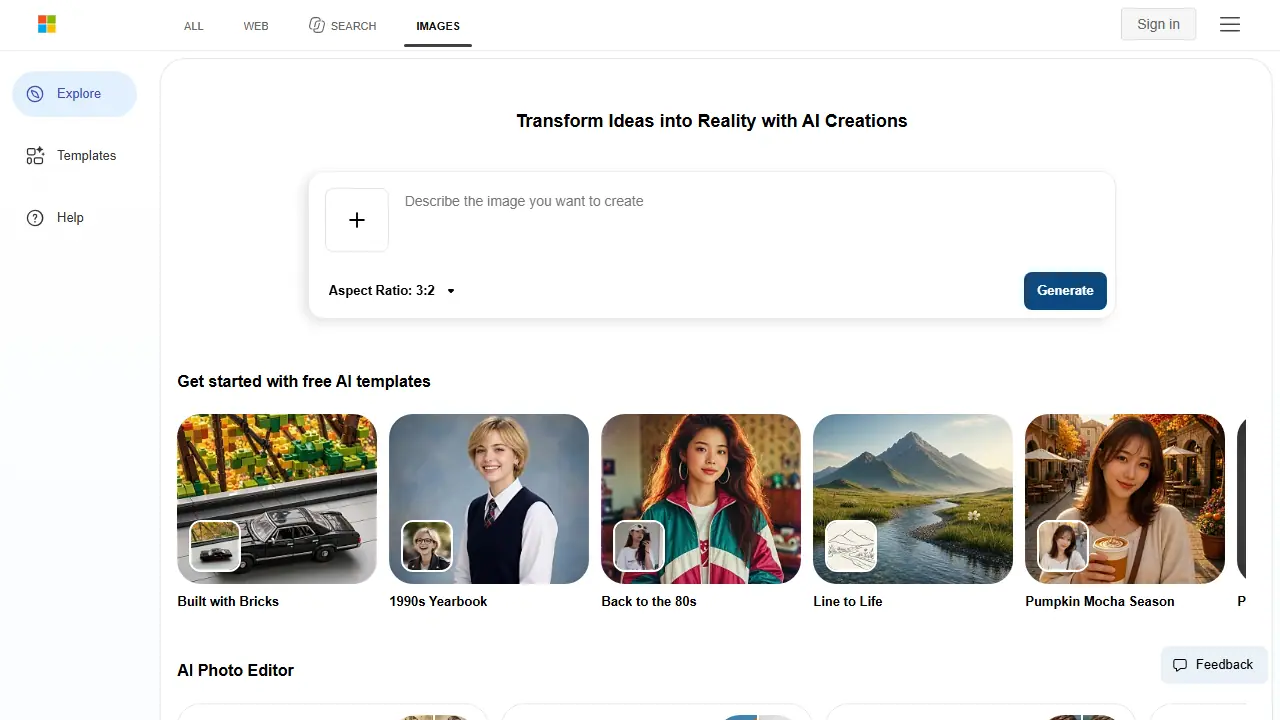
Bing Image Creator is a free web tool from Microsoft that generates images from text descriptions. You type a prompt, choose an aspect ratio (square, horizontal or vertical), pick a model mode such as Vivid and natural or Stylized illustration, and choose how many images to produce, from one to four. Signed-in users get access to more advanced models and can also upload their own image to enhance, remix or reimagine it.
Besides plain text-to-image generation, the homepage offers ready-made AI templates (such as retro yearbook, pixel art, vinyl toy and travel poster), prompt ideas, and a set of AI photo tools including old photo restoration, background removal, image retouching, expansion and enhancement. A separate Bing Video Creator is also mentioned on the page. Guest use is limited daily, while signing in with a Microsoft account raises the limits and unlocks additional models.
Key features
- Text-to-image generation with a prompt
- Aspect ratios: square, horizontal and vertical
- Multiple model modes including stylized illustration
- Generate 1, 2 or 4 images at once
- Upload and transform your own image
- AI photo tools: restore old photos, background remover, image enhancer, expander
Who is it for
- People wanting free AI images without paying
- Designers and content creators needing quick visuals
- Users wanting to restore or edit photos
- Hobbyists exploring AI art
How to get started with Bing Image Creator
- Go to the Bing Image Creator website and sign in with a Microsoft account.
- Type a description of the image you want to generate in the prompt box.
- Choose aspect ratio, style and number of variants, then click generate.
- You need quick illustrations or presentation backgrounds at no cost.
- You are looking for visual inspiration and graphic concepts.
- You want to remix your own photo into a new version.
- You need unlimited generation without daily limits for guests.
- You don't want to upload photos containing people due to data processing consent requirements.
Pros and cons
- Free to use
- Multiple styles and aspect ratios
- Photo editing tools included
- Guest use has daily creation limits
- Advanced models require signing in
Bing Image Creator pricing
The vendor does not publish prices in a readable form (often pricing is shown only after signing in).
Is Bing Image Creator free?
Yes, there is a free plan. Guests get 10 free creations in Fast mode and unlimited creations in Standard mode, with more free upgrades available through Microsoft Rewards after signing in. Daily limits apply to guests.
Featured in
Bing Image Creator alternatives
| Tool | Price from | Free plan | Category |
|---|---|---|---|
 Nano Banana 2 Nano Banana 2 | 23,99 PLN/mo | yes | Image generators |
 Recraft Recraft | 10 USD/mo | yes | Image generators |
 Seedream 4.0 Seedream 4.0 | not listed | ? | Image generators |
 Picsart Picsart | 15 USD/mo | ? | Image generators |
 Black Forest Labs (FLUX) Black Forest Labs (FLUX) | 0.048 USD | trial | Image generators |
 Ideogram Ideogram | 20 USD/mo | ? | Image generators |
All alternatives to Bing Image Creator →
FAQ
What is Bing Image Creator used for?
Free AI image generator from Microsoft Bing that turns text prompts into images, for anyone wanting quick free AI art.
Is Bing Image Creator free?
Yes, there is a free plan. Guests get 10 free creations in Fast mode and unlimited creations in Standard mode, with more free upgrades available through Microsoft Rewards after signing in. Daily limits apply to guests.
How much does Bing Image Creator cost?
The vendor does not publish prices publicly or requires sign-in.
What are the best Bing Image Creator alternatives?
Closest alternatives: Nano Banana 2, Recraft, Seedream 4.0, Picsart, Black Forest Labs (FLUX).
Data checked October 12, 2026 on the vendor website (bing.com).