

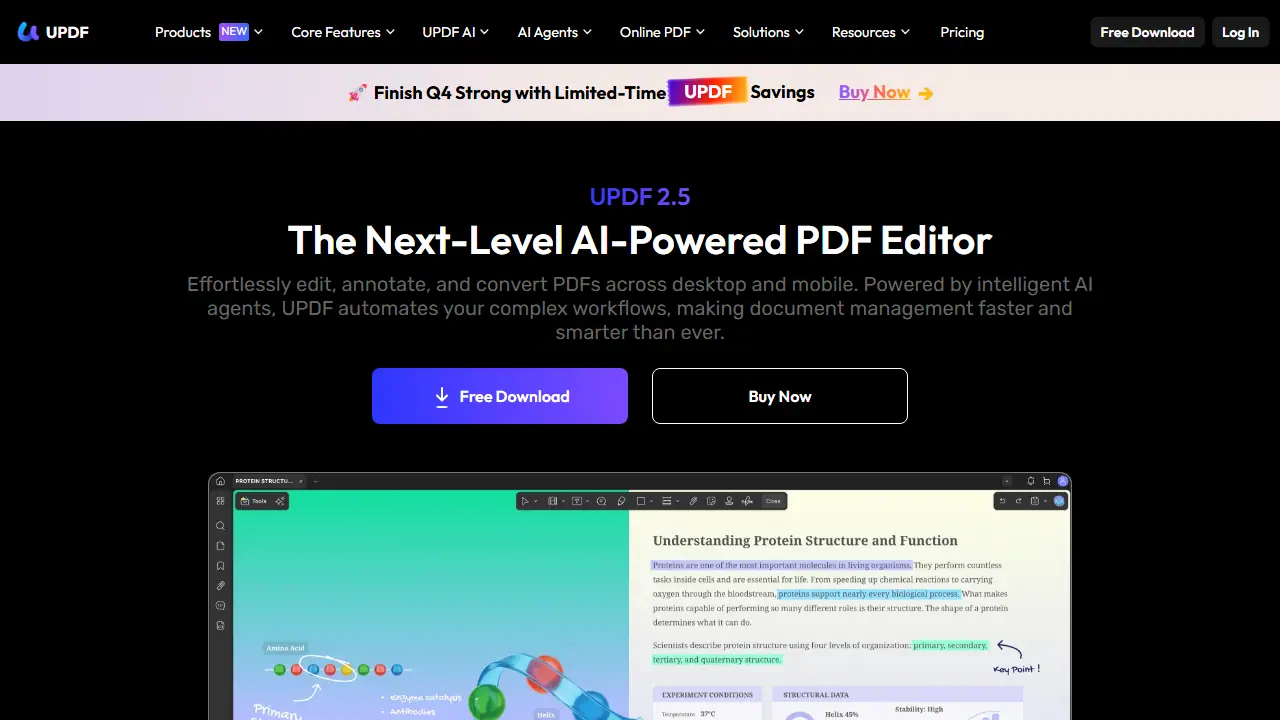
What is UPDF?
UPDF is a PDF editor with built-in AI features, sold as desktop apps for Windows and Mac, mobile apps for iPhone, iPad and Android, and a browser-based version. The core tools let you edit text, images and links directly in a PDF, annotate with highlights, shapes and eSignatures, organize and split pages, and convert files to Word, Excel, images and other formats, with OCR for scanned documents.
The AI layer, based on GPT-5 and DeepSeek (R1) according to the page, adds summarization, translation into 12+ languages, chat with PDFs and images, and PDF-to-mind-map generation. The site also advertises 10+ AI agents for tasks such as semantic search, auto-bookmarking, research and contract analysis. Documents sync between desktop and mobile.
Key features
- Edit text, images and links directly in PDFs
- Annotate with highlights, shapes, stickers and eSignatures
- Convert PDF to Word, Excel, images and other formats with OCR
- Summarize documents and translate into 12+ languages
- Chat with PDFs and images to extract answers
- Generate mind maps from PDFs
Who is it for
- Students and researchers
- Lawyers and legal professionals
- Business teams and enterprises
- Freelancers and solopreneurs
How to get started with UPDF
- Download UPDF from the website and install it on Windows, Mac, iOS or Android
- Log in to your account to unlock the AI features
- Open a PDF and choose summarize, translate or chat with the document
- You need to edit PDFs and also use an AI assistant
- You work across several devices and want sync between them
- You often translate or summarize long documents and reports
- You need a fully free tool with full access to AI features
- You only need simple PDF conversion without extra features
Pros and cons
- Works across desktop, mobile and web with synced documents
- Combines standard PDF editing with AI summarization and chat
- The AI assistant is sold as a separate paid add-on with its own annual fee
- Enterprise pricing is per user and shown with unfilled template placeholders on the pricing page
UPDF pricing
The vendor does not publish prices in a readable form (often pricing is shown only after signing in).
Is UPDF free?
There is a free trial. Free download with a free version of the app; the homepage says you get access to all features for free after signing in. Exact limits are not stated in the provided text.
Featured in
- Best AI for PDFs - #3
- Best AI for summarizing - #5
UPDF alternatives
| Tool | Price from | Free plan | Category |
|---|---|---|---|
 ChatPDF ChatPDF | not listed | yes | PDF & documents |
 iLovePDF iLovePDF | 5 EUR/mo | yes | PDF & documents |
 Chat With PDF by Copilot.us Chat With PDF by Copilot.us | not listed | ? | PDF & documents |
 QuillBot QuillBot | not listed | ? | Writing & editing |
 Humata Humata | 9.99 USD/mo | yes | PDF & documents |
 LlamaParse LlamaParse | 50 USD/mo | yes | PDF & documents |
Comparisons
FAQ
What is UPDF used for?
AI-powered PDF editor for editing, converting, OCR, annotating and summarizing PDFs across desktop, mobile and web.
Is UPDF free?
There is a free trial. Free download with a free version of the app; the homepage says you get access to all features for free after signing in. Exact limits are not stated in the provided text.
How much does UPDF cost?
The vendor does not publish prices publicly or requires sign-in.
What are the best UPDF alternatives?
Closest alternatives: ChatPDF, iLovePDF, Chat With PDF by Copilot.us, QuillBot, Humata.
Data checked October 12, 2026 on the vendor website (updf.com).