

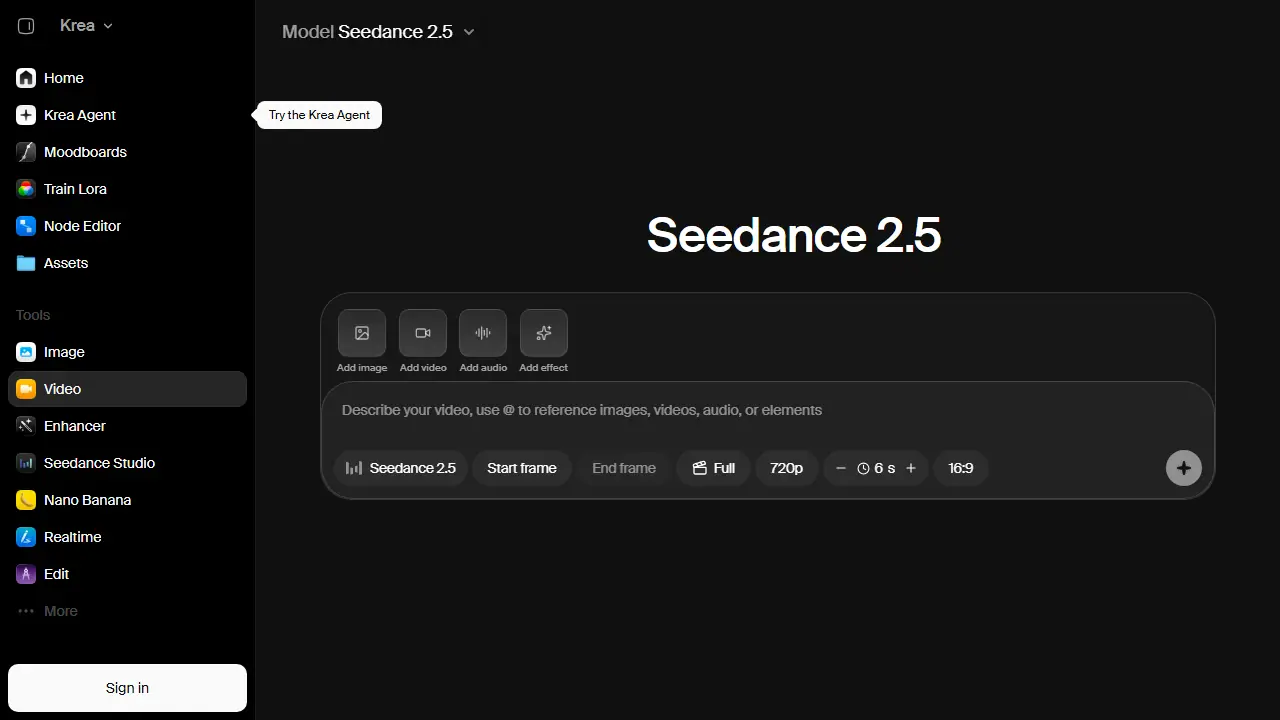
What is Krea Video?
Krea Video is the video workspace of Krea, an AI creative platform. It lets you create short AI videos from a text prompt or from a starting image. Within one workspace you can pick from several third-party video models, including Seedance 2.5, Veo 3.1, Sora 2, Kling, Wan and Runway, and compare results without switching services.
The video tools sit alongside Krea's image generation, upscaling, LoRA finetuning and asset manager, so you can generate a still, turn it into a clip and keep the files in one place. The pricing page lists video generation as part of the Text to Video and Motion Transfer features, with usage measured in compute units.
Key features
- Text to video generation
- Image to video generation
- Choice of multiple video models (Seedance 2.5, Veo 3.1, Sora 2, Kling, Wan, Runway)
- Motion transfer
- Video style transfer and video upscaling
- Video LoRA finetuning
Who is it for
- Content creators
- Marketers and social media teams
- Designers and creative studios
- Agencies producing video for clients
How to get started with Krea Video
- Go to the Krea platform and open the Krea Video workspace.
- Enter a text description of the scene or upload a photo as a starting point.
- Choose one of the available video models and generate a clip.
- You want to compare results from different video models in one place.
- You create ads or marketing content requiring a commercial license (on paid plans).
- You want to train a LoRA on your own characters or visual style.
- You need a full free plan without limits, and 100 units per day is too little.
- You need a Polish-language interface, which this service does not offer.
Pros and cons
- Access to several leading video models in one workspace
- Integrated with image generation, upscaling and asset management
- Video generation draws from a limited compute unit allocation
- Advanced video features are tied to paid plans
Krea Video pricing
| Plan | Price | Includes |
|---|---|---|
| Free | 0 USD / month | 100 units/day; all video models; limited LoRA training (50 images); upscaling up to 2K; commercial license |
Prices copied from Krea Video pricing, checked October 12, 2026. Currency as shown by the vendor; taxes may apply.
Is Krea Video free?
Yes, there is a free plan. Free plan gives 100 units per day, real-time models, all video models listed, limited LoRA training (50 images), limited upscaling to 2K, Krea Nodes and commercial license (as listed on the pricing page).
Featured in
- Best AI for video - #9
- Best AI for animation - #9
Krea Video alternatives
| Tool | Price from | Free plan | Category |
|---|---|---|---|
 Higgsfield AI Higgsfield AI | 19 USD/mo | trial | Video generators |
 Dreamina Dreamina | 69 PLN/mo | yes | Video generators |
 ComfyUI ComfyUI | 16 USD/mo | trial | Video generators |
 Hailuo AI Hailuo AI | 9.99 USD/mo | ? | Video generators |
 Kling AI Kling AI | 8,8 USD/mo | ? | Video generators |
 Runway Runway | 12 USD/mo | trial | Video generators |
All alternatives to Krea Video →
FAQ
What is Krea Video used for?
Generates AI videos from text or images, with access to several video models such as Seedance, Veo, Sora, Kling, Wan and Runway.
Is Krea Video free?
Yes, there is a free plan. Free plan gives 100 units per day, real-time models, all video models listed, limited LoRA training (50 images), limited upscaling to 2K, Krea Nodes and commercial license (as listed on the pricing page).
How much does Krea Video cost?
The vendor does not publish prices publicly or requires sign-in.
What are the best Krea Video alternatives?
Closest alternatives: Higgsfield AI, Dreamina, ComfyUI, Hailuo AI, Kling AI.
Data checked October 12, 2026 on the vendor website (krea.ai).