

What is ComfyUI?
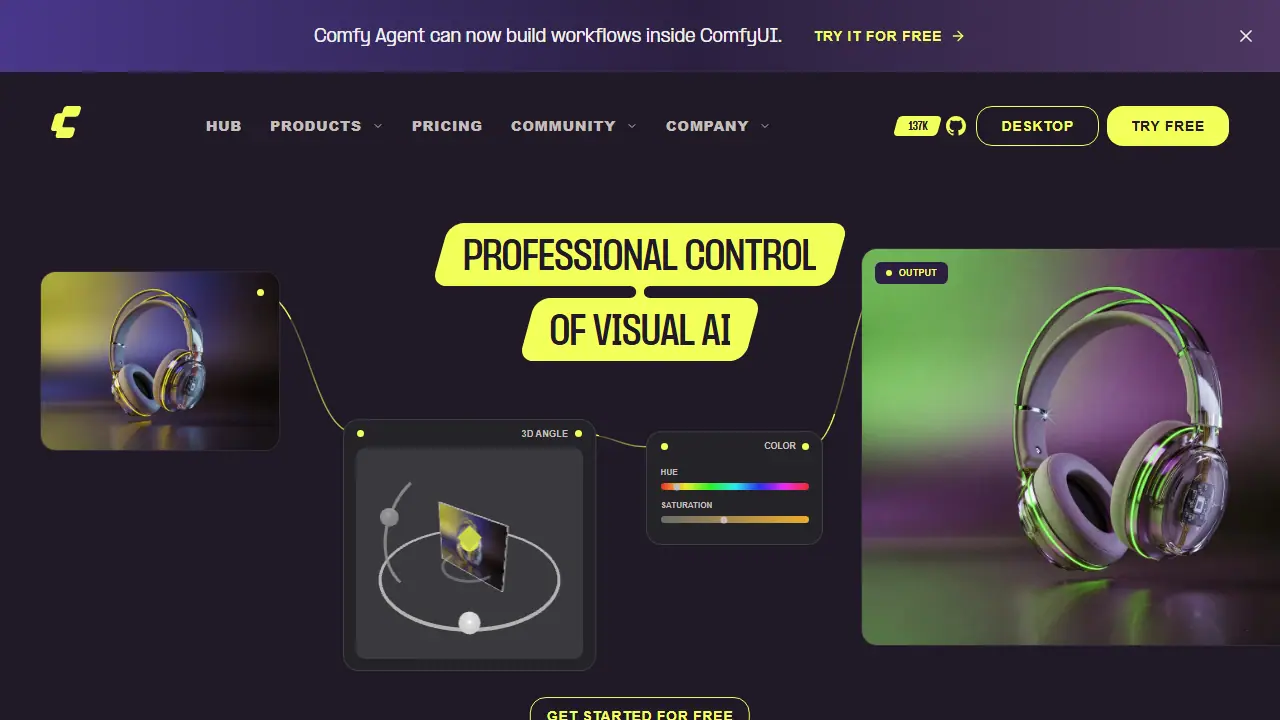
ComfyUI is a node-based environment for visual AI. Instead of a single prompt box, you assemble a pipeline by connecting models, processing steps and outputs on an infinite canvas, and every parameter stays visible and adjustable. The same engine is offered as Comfy Desktop for your own hardware, Comfy Cloud for running on remote GPUs, a Developer Platform for deploying workflows as production APIs, and Comfy Enterprise for organizations.
For beginners there is App Mode, a simplified view of a workflow that can be switched back to the full node graph at any time. Users can start from community-shared templates, remix them, and run image, video and audio generation, including partner models accessed through Partner Nodes. The Cloud plans add pre-installed models, custom LoRA imports on higher tiers and parallel job execution.
Key features
- Node-based canvas with visible models, parameters and processing steps
- App Mode simplified view of workflows
- Community workflow templates to browse and remix
- Desktop, Cloud, Developer Platform and Enterprise deployment options
- Partner Nodes for proprietary models such as MiniMax H3 and Nano Banana
- Custom LoRA importing on Creator, Pro and Team plans
Who is it for
- Visual professionals and VFX artists
- Advertising and creative studios
- Game and eCommerce content teams
- Developers deploying AI workflows as APIs
Pros and cons
- Full control over every model, node and output
- Large library of community workflows and 900+ pre-installed models on Cloud
- Node-based interface has a learning curve, mitigated by App Mode
- Partner Nodes consume credits from the monthly allowance
ComfyUI pricing
| Plan | Price | Includes |
|---|---|---|
| Standard | 16 USD / month | Monthly price shown with yearly billing at 192 USD per year; 30 min max workflow runtime; 50,400 credits per year; no custom model import |
| Creator | 28 USD / month | Yearly billing at 336 USD; 30 min max runtime; 88,800 credits per year; import own models |
| Pro | 80 USD / month | Yearly billing at 960 USD; up to 1 hr runtime; 253,200 credits per year; import own models |
| Team | 630 USD / month | Yearly billing at 7,560 USD; up to 50 members; shared credit pool; role-based permissions; based on Pro plus team features |
Prices copied from ComfyUI pricing, checked October 12, 2026. Currency as shown by the vendor; taxes may apply.
Is ComfyUI free?
There is a free trial. Comfy Cloud: 5 free runs on real GPUs, no credit card required. Comfy Desktop download is also offered.
Featured in
ComfyUI alternatives
| Tool | Price from | Free plan | Category |
|---|---|---|---|
 Kling AI Kling AI | 8,8 USD/mo | ? | Video generators |
 Higgsfield AI Higgsfield AI | 19 USD/mo | trial | Video generators |
 Runway Runway | 12 USD/mo | trial | Video generators |
 DomoAI DomoAI | 9 USD/mo | trial | Video generators |
 Hedra Hedra | 20 USD/mo | trial | Video generators |
 Dreamina Dreamina | 69 PLN/mo | yes | Video generators |
FAQ
What is ComfyUI used for?
Node-based visual AI engine for building and running image, video and audio generation pipelines with full control over models and parameters.
Is ComfyUI free?
There is a free trial. Comfy Cloud: 5 free runs on real GPUs, no credit card required. Comfy Desktop download is also offered.
How much does ComfyUI cost?
The cheapest paid plan is 16 USD/mo (vendor pricing, October 12, 2026).
What are the best ComfyUI alternatives?
Closest alternatives: Kling AI, Higgsfield AI, Runway, DomoAI, Hedra.
Data checked October 12, 2026 on the vendor website (comfy.org).