

What is Speechify?
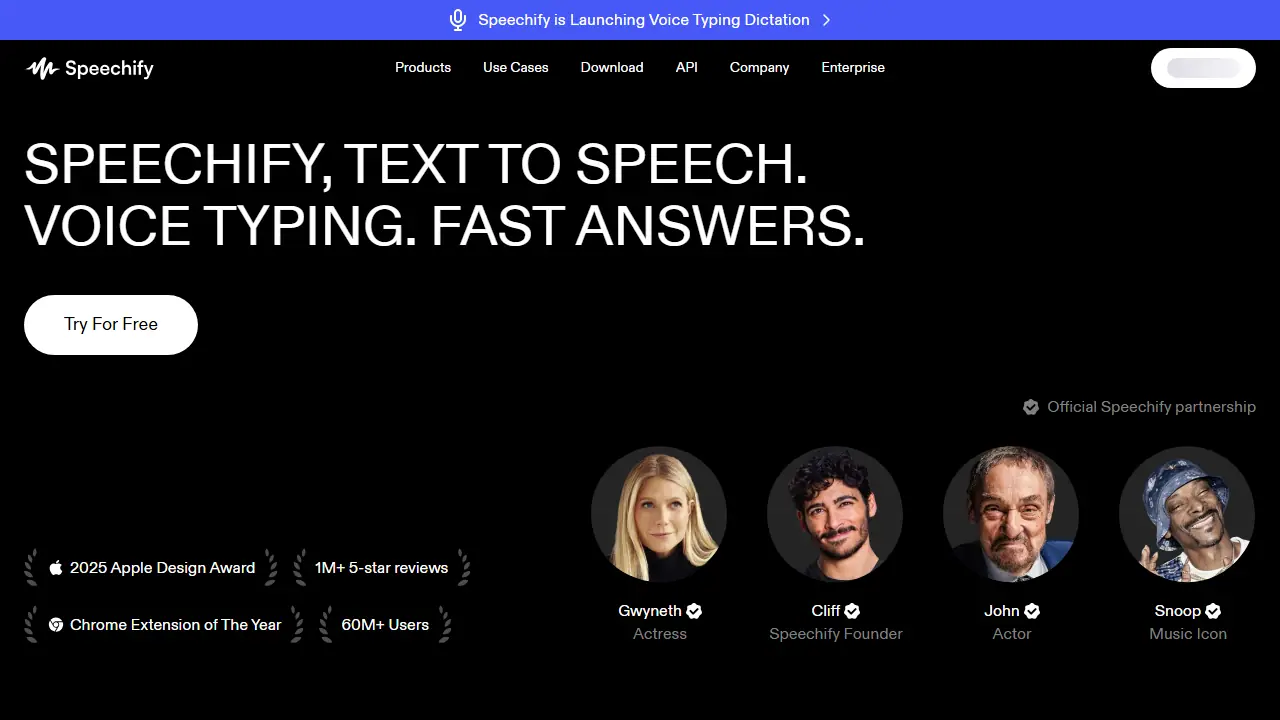
Speechify is a text-to-speech and voice AI product sold as apps for iPhone, iPad, Android, Mac, Windows, a Chrome and Edge extension, and a web app. You upload a PDF or open a web page or book, and Speechify reads it aloud with a choice of more than 1,000 AI voices, with word highlighting and playback speed up to 4.5x or 5x depending on the plan. A scan-and-listen option reads text from a photo.
Beyond listening, the Voice AI Assistant lets you ask questions about what you are reading and get summaries. Voice Typing dictates text into any app, which the company says is up to five times faster than typing, and AI Podcasts turn a document or short description into an audio show. Speechify also offers Studio, voice-over, dubbing and an API for developers.
Key features
- Text to speech for PDFs, docs, web pages and books
- 1,000+ AI voices in 60+ languages (Premium)
- Playback speed control, up to 4.5x or 5x (Premium)
- Voice Typing dictation in any app
- AI summaries and chat about documents and websites
- AI Podcasts generated from documents or descriptions
Who is it for
- students
- people with reading difficulties or eye strain
- professionals who need to process long documents
- content creators
How to get started with Speechify
- Go to the Speechify website and create a free account
- Upload a PDF to the web app or select an article
- Press play and adjust the reading speed
- You want to listen to books, PDFs or articles instead of reading them
- You have dyslexia or vision problems and need text read aloud
- You write a lot of emails or documents and want to dictate by voice
- You need natural-sounding AI voices but don't want to pay, since the free plan has only 10 robotic voices
- You need playback faster than 1.5x in the free version
Pros and cons
- Natural-sounding voices with text highlighting
- Works across many platforms and browsers
- Free plan limited to 10 robotic voices and 1.5x speed
- Advanced features such as Voice Typing and AI Podcasts require Premium
Speechify pricing
| Plan | Price | Includes |
|---|---|---|
| Free | 0 USD | Speeds up to 1.5x, 10 robotic voices, text to speech only |
| Premium | 29 USD / month | 1000+ natural voices, 60+ languages, 5x speed, Scan & Listen, AI summaries and chats, cloud integrations, Voice Typing, AI Podcasts, Voice AI Assistant; billed monthly, yearly plan saves 60% |
Prices copied from Speechify pricing, checked October 12, 2026. Currency as shown by the vendor; taxes may apply.
Is Speechify free?
Yes, there is a free plan. Listen at speeds up to 1.5x, listen anywhere, 10 robotic sounding voices, text to speech features only.
Featured in
Speechify alternatives
| Tool | Price from | Free plan | Category |
|---|---|---|---|
 ElevenLabs ElevenLabs | 6 USD/mo | yes | Voice & text to speech |
 Fish Audio Fish Audio | not listed | yes | Voice & text to speech |
 Audify AI Audify AI | 2 USD | trial | Voice & text to speech |
 Narakeet Narakeet | not listed | trial | Voice & text to speech |
 Notta Notta | 8.17 USD/mo | yes | Transcription & meetings |
 Voice.ai Voice.ai | 5 USD/mo | yes | Voice & text to speech |
All alternatives to Speechify →
Comparisons
FAQ
What is Speechify used for?
Reads PDFs, documents, web pages and books aloud with natural AI voices, and adds voice typing and an AI assistant for students and professionals.
Is Speechify free?
Yes, there is a free plan. Listen at speeds up to 1.5x, listen anywhere, 10 robotic sounding voices, text to speech features only.
How much does Speechify cost?
The cheapest paid plan is 29 USD/mo (vendor pricing, October 12, 2026).
What are the best Speechify alternatives?
Closest alternatives: ElevenLabs, Fish Audio, Audify AI, Narakeet, Notta.
Data checked October 12, 2026 on the vendor website (speechify.com).