

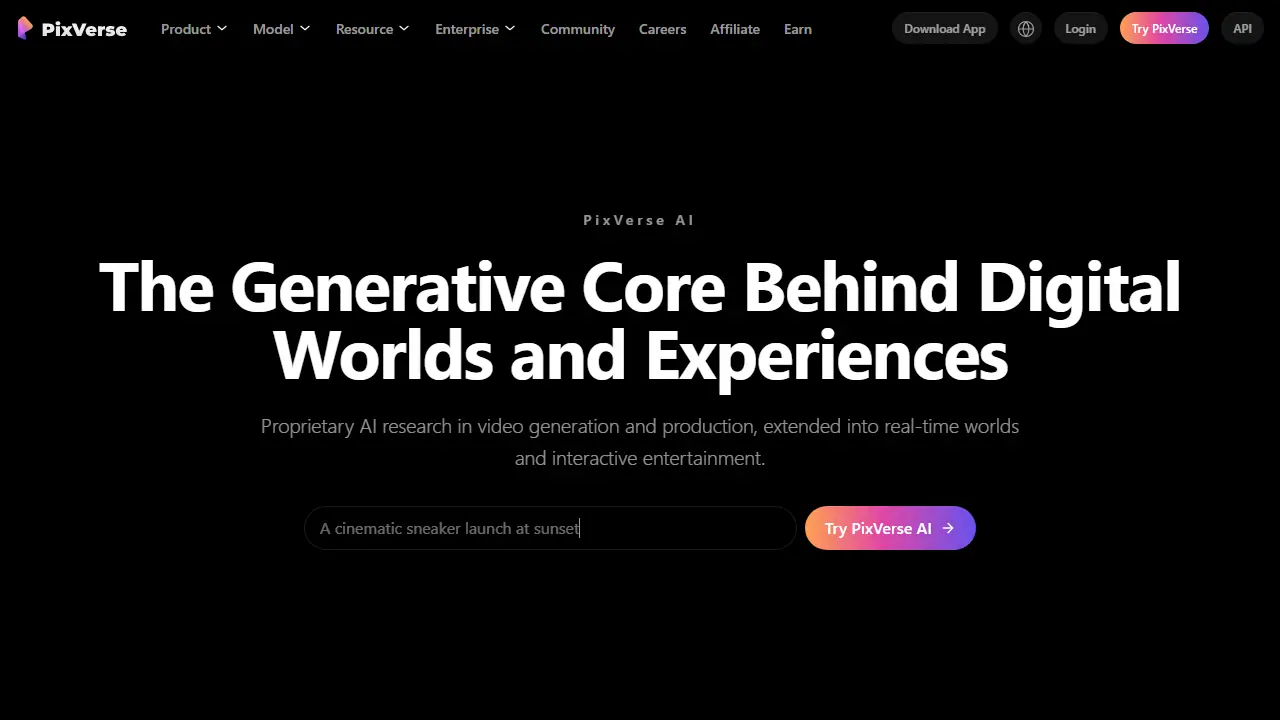
What is PixVerse?
PixVerse is a generative AI platform built around its own video foundation models. It is positioned both as a creator tool and as an enterprise-grade media generation stack, with a web app, mobile app, CLI, agent-style interface and API.
In practice you can create a clip from a text prompt or from an uploaded image, use ready-made templates, or build multi-step video workflows in Canvas, which connects references, prompts, motion and output as an editable graph. Marketing Hub offers guided flows for ad and e-commerce videos, Lip Sync handles voice and sound, and Character features keep a character consistent across shots. Developers can generate video from the terminal with the CLI or call the API for production pipelines.
Key features
- Text-to-video and image-to-video generation
- Canvas node-based video workflow editor
- Marketing Hub guided video ad creation
- CLI for generating video from the terminal
- Character consistency across clips
- Lip Sync with voice and sound
- API access for production workflows
Who is it for
- marketers and e-commerce sellers
- content creators
- developers building video features
- enterprise production teams
How to get started with PixVerse
- Go to the PixVerse website and create an account.
- Choose a generation mode: text to video or image to video.
- Enter a prompt describing the scene or upload a photo to animate.
- Select a model, e.g. PixVerse V6, and start generating.
- You need to quickly generate a video clip from a text description or photo.
- You create video ads and want to use the ready templates in Marketing Hub.
- You want to automate video generation via API or CLI.
- You need a Polish-language interface, which the platform does not offer.
- You need a free plan, and the data does not confirm one exists.
Pros and cons
- Multiple video models in one platform, including its own PixVerse V6 with native audio
- Workflow tools (Canvas, Agent, CLI) suit repeatable production
- Page reports fast generation and lower cost per minute versus cited competitors
- Cost figures and performance claims are the vendor's own benchmarks
- Pricing plans are not shown on the homepage text
PixVerse pricing
| Plan | Price | Includes |
|---|---|---|
| Basic | 0 USD / month | 60 kredytów na start + 30 dziennie |
| Standard | 8 USD / month | przy płatności rocznej (96 USD/rok), 1200 kredytów, do 720p bez znaku wodnego |
| Pro | 24 USD / month | przy płatności rocznej (288 USD/rok), 6000 kredytów, do 4K |
| Premium | 48 USD / month | przy płatności rocznej (576 USD/rok), 15 000 kredytów |
| Ultra | 149 USD / month | przy płatności rocznej (1788 USD/rok), 25 000 kredytów |
Prices copied from PixVerse pricing, checked October 12, 2026. Currency as shown by the vendor; taxes may apply.
Is PixVerse free?
The vendor does not state this clearly on the homepage or pricing page.
PixVerse alternatives
| Tool | Price from | Free plan | Category |
|---|---|---|---|
 Higgsfield AI Higgsfield AI | 19 USD/mo | trial | Video generators |
 Kling AI Kling AI | 8,8 USD/mo | ? | Video generators |
 UGCFast UGCFast | 1 USD | trial | Video generators |
 OpenArt OpenArt | 13 USD/mo | yes | Video generators |
 Lumen5 Lumen5 | 19 USD/mo | yes | Video generators |
 Dreamina Dreamina | 69 PLN/mo | yes | Video generators |
All alternatives to PixVerse →
FAQ
What is PixVerse used for?
AI video generator turning text, images and prompts into video, with real-time world models for interactive entertainment.
Is PixVerse free?
The vendor does not state this clearly on the homepage or pricing page.
How much does PixVerse cost?
The cheapest paid plan is 8 USD/mo (vendor pricing, October 12, 2026).
What are the best PixVerse alternatives?
Closest alternatives: Higgsfield AI, Kling AI, UGCFast, OpenArt, Lumen5.
Data checked October 12, 2026 on the vendor website (pixverse.ai).