

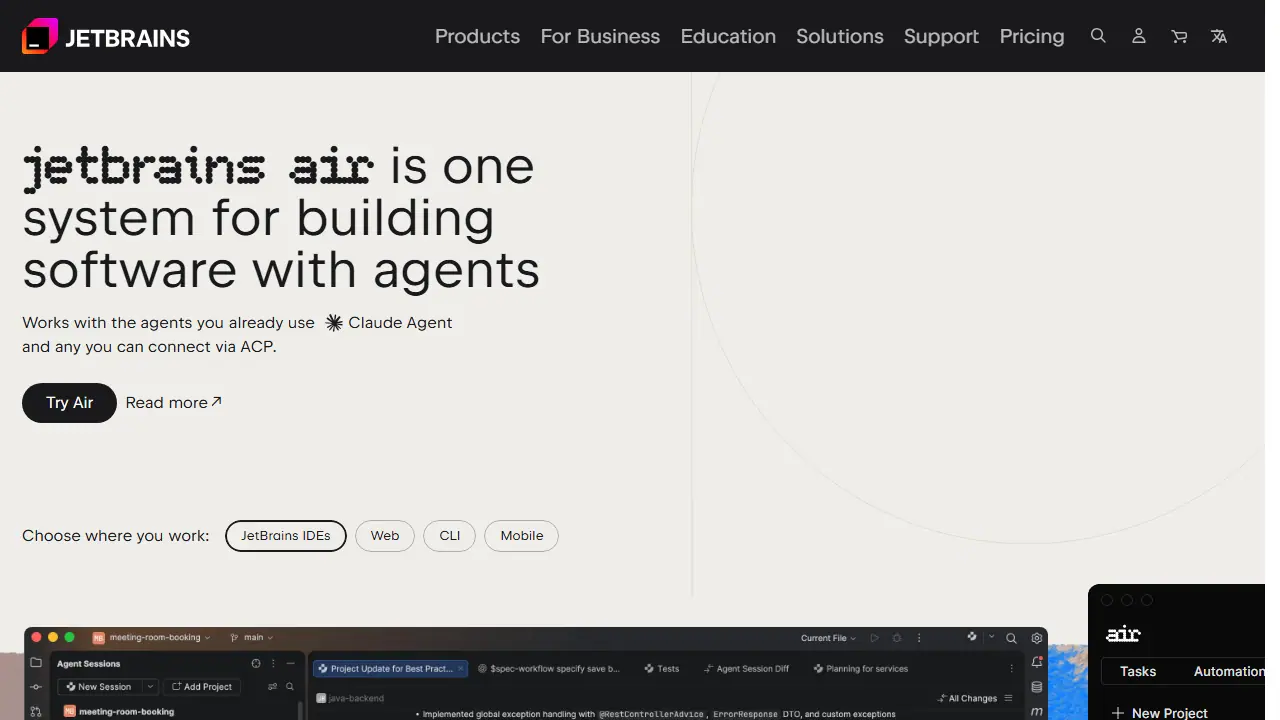
What is JetBrains Air?
JetBrains Air is a system for building software with AI agents. Instead of replacing the agents you already use, it gives you one place to run them. It works with Claude Agent, Codex, Junie, Copilot, OpenCode and any agent that can be connected via ACP. Air detects compatible agents on your machine and lets you connect them with a click, or add new ones from an agent registry.
In practice you can keep several projects open, each with its own agent sessions, and track unread updates, changed files and outgoing commits across them. Agent changes can be reviewed as diffs directly from a session, validated with JetBrains IDE tools, and commented on line by line so the agent can act on the feedback. For teams, shared projects run agent tasks in dedicated cloud environments, and recurring work such as code review, release notes or lint checks can be set up as automations.
Key features
- Runs multiple agents (Claude Agent, Codex, Junie, Copilot, OpenCode, ACP agents) in one place
- Parallel projects with separate sessions and change tracking
- Diff review and line-level comments for agent changes
- Automations for code review, release notes, fixes and triage
- Shared team projects in cloud environments
- Use your own provider subscriptions or API keys, or JetBrains AI credits
Who is it for
- software developers
- development teams
- engineering managers
- JetBrains IDE users
How to get started with JetBrains Air
- Go to the JetBrains Air website and sign in with your JetBrains account
- Connect your AI agent, such as Claude Agent, Codex, or Junie
- Choose a project and describe the programming task in plain language
- Review the changes in diffs and leave comments on specific lines
- You want to assign programming tasks to AI agents you already use
- You work in a team and need shared projects and cloud environments
- You want to run several tasks in parallel across different projects
- You need a fully free tool, since details about a free plan are not available
- You are looking for a Polish-language interface, which is not available
Pros and cons
- Works with the agents you already use instead of locking you into one
- Review changes in context with IDE tools
- Cloud agent rollout to all customers is gradual over coming months
- Some agents are marked coming soon
JetBrains Air pricing
| Plan | Price | Includes |
|---|---|---|
| AI Free | 0 EUR | 3 kredyty AI na 30 dni, uzupełnianie kodu |
| AI Pro | 100 EUR / year | za użytkownika, netto (123 EUR z VAT), 10 kredytów AI na 30 dni |
| AI Ultimate | 300 EUR / year | za użytkownika, netto (369 EUR z VAT), 35 kredytów AI na 30 dni |
| AI Enterprise | 720 EUR / year | za użytkownika, netto, maksimum kredytów i bezpieczeństwo firmowe |
Prices copied from JetBrains Air pricing, checked October 12, 2026. Currency as shown by the vendor; taxes may apply.
JetBrains Air pricing details →
Is JetBrains Air free?
The vendor does not state this clearly on the homepage or pricing page.
JetBrains Air alternatives
| Tool | Price from | Free plan | Category |
|---|---|---|---|
 Factory Factory | 20 USD/mo | ? | Website & app builders |
 Amp Amp | not listed | ? | Website & app builders |
 Augment Code Augment Code | 20 USD/mo | no | Website & app builders |
 Gemini Code Assist Gemini Code Assist | 0.031232 USD | no | Website & app builders |
 Dify Dify | 590 USD/yr | yes | Website & app builders |
 LangChain LangChain | 39 USD/mo | yes | Website & app builders |
All alternatives to JetBrains Air →
FAQ
What is JetBrains Air used for?
One system for building software with agents, working with Claude, Codex, Junie, Copilot and other ACP-compatible agents, for developers and teams.
Is JetBrains Air free?
The vendor does not state this clearly on the homepage or pricing page.
How much does JetBrains Air cost?
The cheapest paid plan is 100 EUR/yr (vendor pricing, October 12, 2026).
What are the best JetBrains Air alternatives?
Closest alternatives: Factory, Amp, Augment Code, Gemini Code Assist, Dify.
Data checked October 12, 2026 on the vendor website (jetbrains.com).